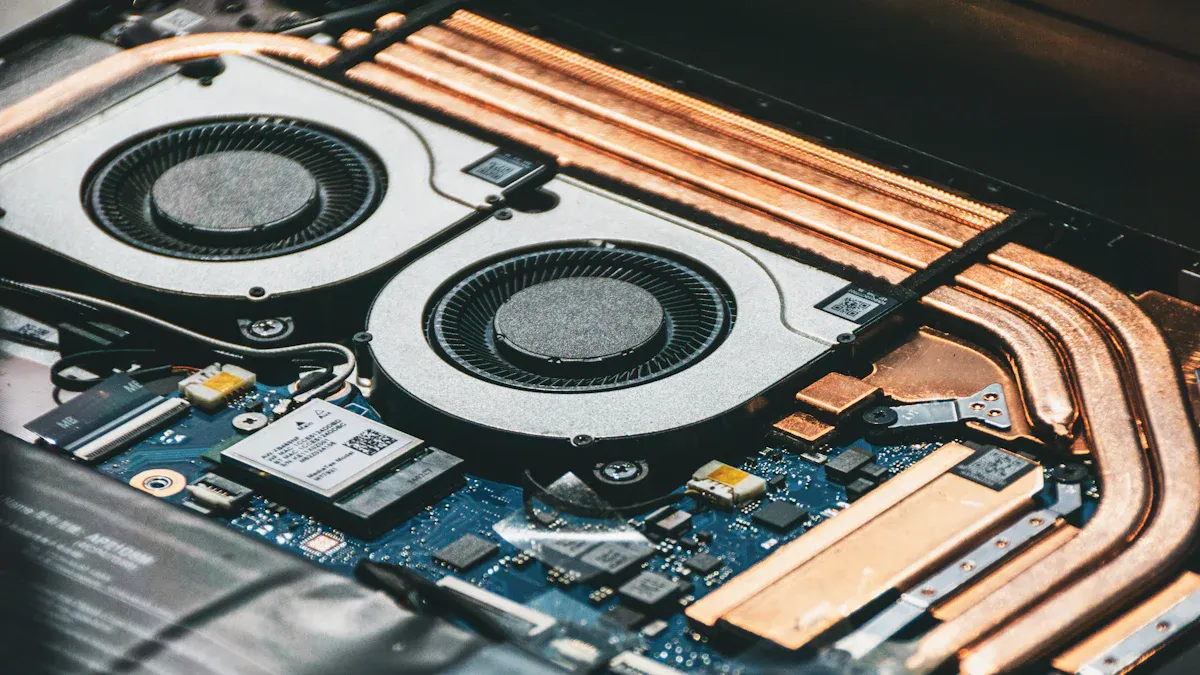
You rely on your computer to run smoothly every day. The chipset heat sink helps protect your system from heat that can damage important parts. This small device attaches to the motherboard and pulls away heat from the chipset. When you understand how it works, you can make better choices about maintaining your computer. A well-functioning heat sink keeps your device stable and extends its life.
Key Takeaways
- A chipset heat sink stops the chipset from getting too hot. It takes in heat so your computer works well. Picking the best material, like aluminum or copper, helps cool things down better. This also makes your computer work faster. Cleaning and checking thermal paste often helps your computer parts last longer. If your heat sink is not working, you may notice too much heat. You might hear loud fans or see your computer crash. Fixing these problems fast can stop more damage. Good airflow and smart design help your chipset heat sink cool better.
Chipset Heat Sink Basics
What Is a Chipset Heat Sink
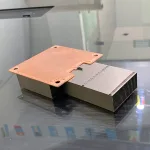
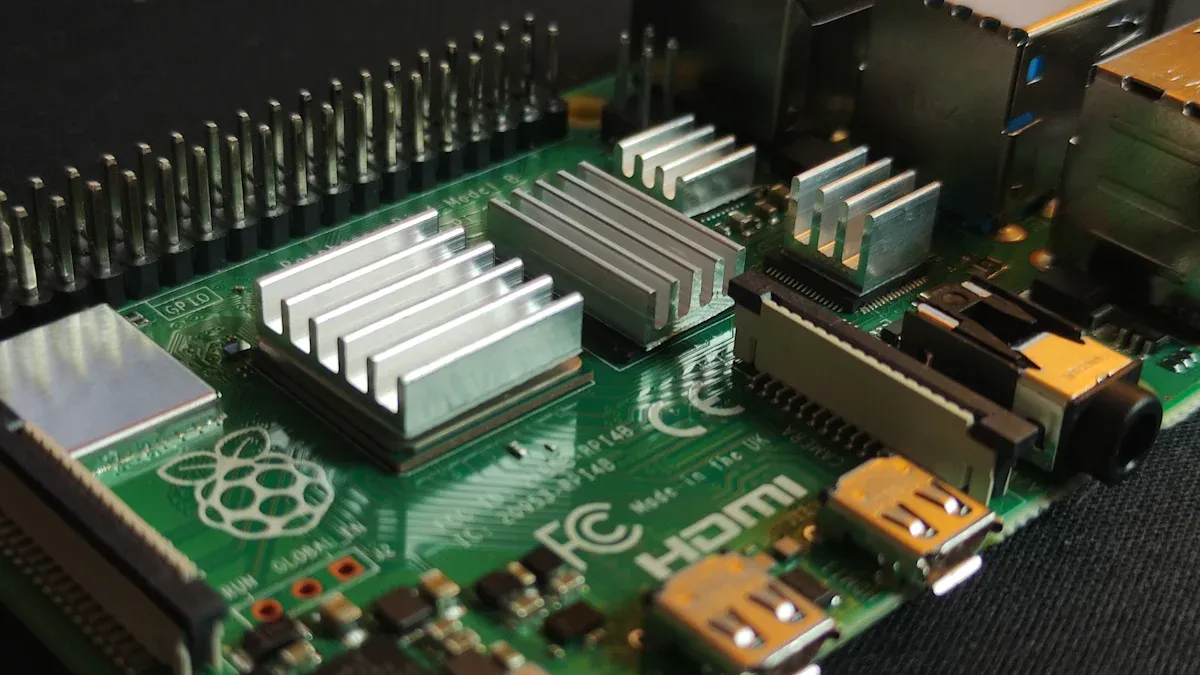
You find the chipset heat sink on your computer’s motherboard. This component sits on top of the chipset, which controls communication between the processor, memory, and other parts. The chipset generates heat as it works. The heat sink absorbs this heat and moves it away from the chipset. This process keeps the chipset at a safe temperature. You rely on the chipset heat sink to prevent overheating and keep your system running smoothly.
Materials and Design
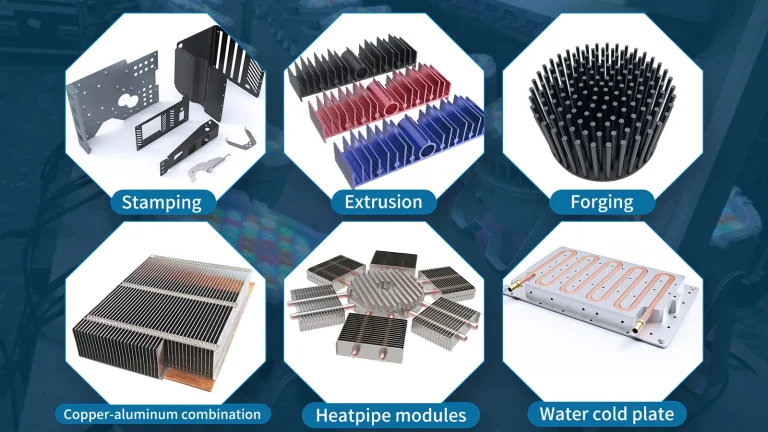
You see many types of materials used in chipset heat sinks. Aluminum is the most common. It offers high thermal conductivity, which means it moves heat quickly. Aluminum also resists corrosion and weighs very little. Some heat sinks use copper for even better heat transfer. Copper costs more and weighs more, but it handles heat very well.
Tip: When you choose a chipset heat sink, check the material. Aluminum works for most systems, but copper gives you extra cooling for high-performance needs.
Here is a table showing common materials and their thermal conductivity:
| Material | Thermal Conductivity |
|---|---|
| Pure Copper (C11000) | Excellent |
| Tellurium Copper | Good |
| Beryllium Copper | Fair |
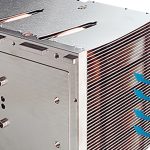
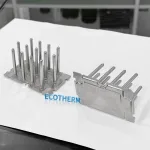
The design of a chipset heat sink affects how well it cools your system. You notice that some heat sinks have many thin fins. These fins increase the surface area, which helps move more heat into the air. If the fins are too close together, airflow drops and cooling suffers. If the fins are too far apart, you lose surface area and reduce heat transfer. Engineers balance fin density and airflow to get the best results.
- Dense fins give you more surface area but may block airflow.
- Wider fin spacing improves airflow but lowers surface area.
- The best design matches fin layout to your system’s airflow.
You also need to consider other factors. The shape of the heat sink, the quality of the thermal paste, and the airflow inside your computer all play a role. Over the past decade, chipset heat sink designs have changed. Manufacturers now make smaller heat sinks that cool better. They do this because chipsets use more power and create more heat in a small space. You may see future designs with better fans that move more air and make less noise.
When you understand these basics, you can choose the right chipset heat sink for your needs. You also know what to look for if you want to upgrade or replace your current cooling solution.
Chipset Heat Sink Function
How It Dissipates Heat
Your computer needs to stay cool when you use it a lot. The chipset heat sink helps with this job. It uses different ways to move heat away from the chipset. This keeps the temperature safe and protects your computer parts.
Here is a table that shows how a heat sink can get rid of heat:
| Mechanism | Description |
|---|---|
| Heat sinks | Take heat from the chipset and let it go into the air. |
| Phase Change Materials (PCMs) | Hold and release energy when they change form, keeping temperatures steady. |
| Thermo-electronic cooling | Use special parts to move heat away from the chipset. |
| Micro-channels cooling | Use tiny paths to help fluids move and carry heat better. |
| Heat pumps | Move heat from one spot to another, making cooling work well. |
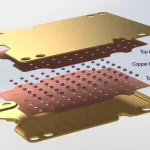
Most computers use a simple heat sink with metal fins. The metal takes heat from the chipset. Air blows over the fins and removes the heat. Some computers use phase change materials or micro-channels for better cooling. High-end computers may use thermo-electronic cooling or heat pumps.
Note: Good airflow inside your computer helps the heat sink do its job. Make sure fans and vents are not blocked.
Role in System Stability
You want your computer to work without problems. The chipset heat sink helps make this happen. If the chipset stays cool, it works better. If it gets too hot, you might see errors or crashes.
If a chipset does not have a good heat sink, its temperature can get too high. This can hurt the chip’s parts. You might notice more errors or sudden crashes if the chipset overheats.
The material of the heat sink matters too. Copper works best, but aluminum is almost as good and weighs less. Graphite foam can work well sometimes, but it depends on airflow. Here is a table that compares common materials:
| Material | Performance Comparison | Notes |
|---|---|---|
| Copper | Baseline | Moves heat very well and is used as a standard. |
| Aluminum | 1% less than copper | Works well, is lighter, and costs less than copper. |
| Graphite Foam | 1% less at 1.5 m/s | Works like aluminum in some cases, but has higher resistance. |
| 15% less at 3.5 m/s | Its performance changes a lot with airflow. |
Even small changes in material or airflow can change how well the heat sink works. Companies test each heat sink for how well it moves heat and how long it lasts. These tests make sure the heat sink keeps your computer stable in real life.
Tip: If your computer gets hot or crashes, check the chipset heat sink. Dust or bad contact can make it work worse.
A good chipset heat sink keeps your computer safe and working well. You protect your data and computer parts by keeping your system cool.
Importance of Chipset Heat Sink
Preventing Overheating
You use your computer for many things. You might browse the web or run big programs. The chipset heat sink helps keep your computer safe from getting too hot. The North Bridge chipset works hard and makes a lot of heat. It controls memory and fast connections. If you do not cool this heat, your computer can slow down or shut off.
Common reasons for overheating are:
- The North Bridge chipset working very fast
- Bad airflow inside the case
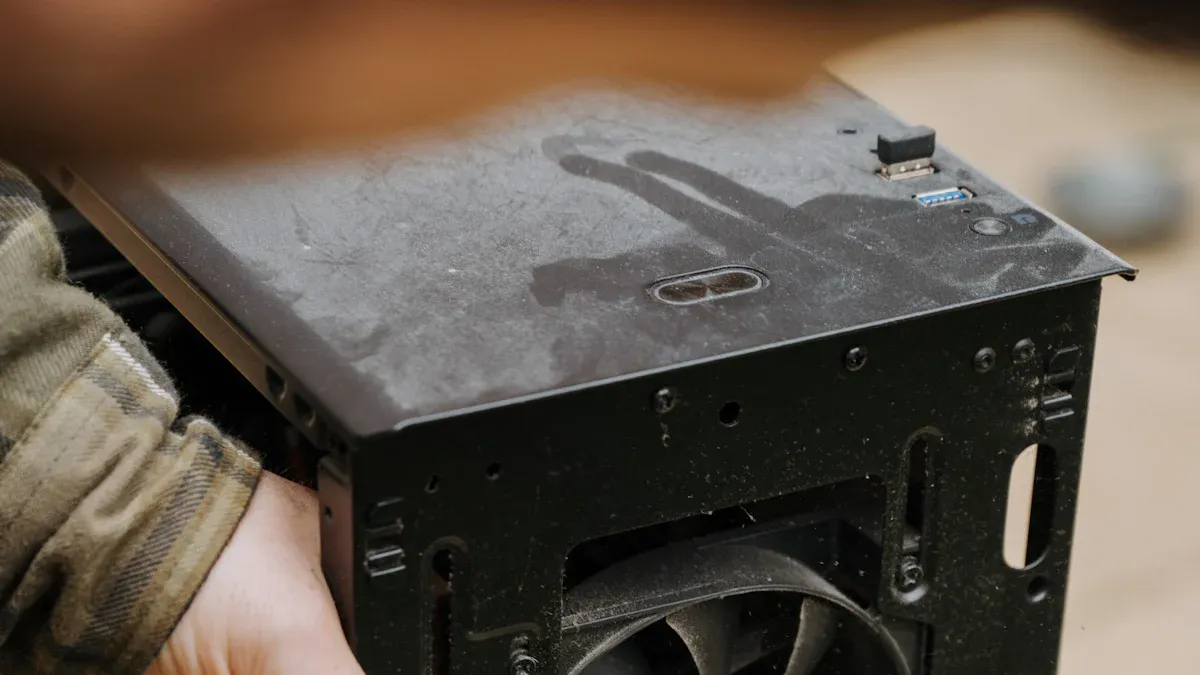
- Dust blocking vents or fans
Tip: If the heat sink feels hot, it is working. Electronics can handle higher heat than you think.
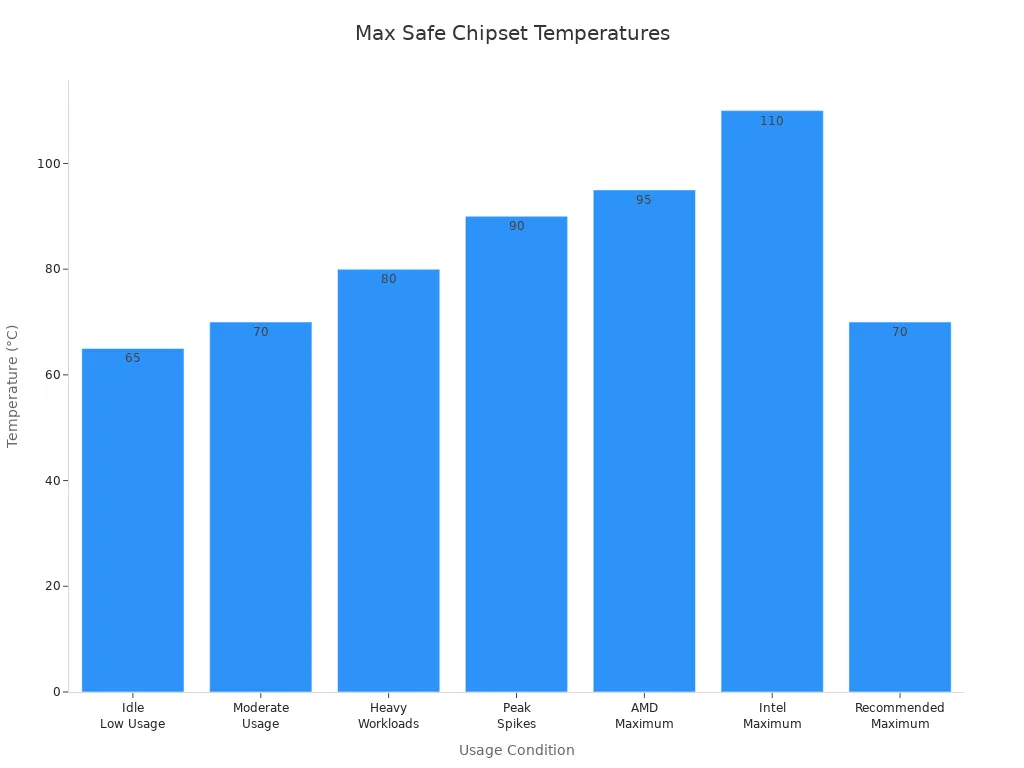
You should know what temperatures are safe for your chipset. The table below shows safe temperature ranges:
| Usage Condition | Safe Operating Temperature (°F) | Safe Operating Temperature (°C) |
|---|---|---|
| Idle or Low Usage | 104°F – 149°F | 40°C – 65°C |
| Moderate Usage | 140°F – 158°F | 60°C – 70°C |
| Heavy Workloads | Up to 176°F | Up to 80°C |
| Peak Temperature Spikes | Up to 194°F | Up to 90°C |
| AMD Maximum | 203°F (95°C) | 203°F (95°C) |
| Intel Maximum | 230°F (110°C) | 230°F (110°C) |
| Recommended Maximum | 158°F (70°C) | 158°F (70°C) |
Impact on Performance
If your chipset stays cool, your computer works well. If it gets too hot, your computer slows down to stay safe. You might see games run slower or programs take longer to open. For example, Intel CPUs work at top speed until they reach 100°C. If they get hotter, the computer slows down to stop overheating. This speed drop affects everything you do.
Here are some common problems you might see:
| Performance Issue | Description |
|---|---|
| FPS Drops | Frame rates can fall to 15-20 FPS for a few seconds when the motherboard overheats. |
| Turbo Mode Impact | Turning off turbo mode can help stop overheating but also lowers performance. |
| Cool/Quiet Disable | Turning off cool/quiet features can fix power problems but may cause more heat. |
A good chipset heat sink helps you avoid these problems. Your computer runs smoother and lasts longer when it stays cool.
Chipset Heat Sink Issues
Signs of Failure
You need to watch for warning signs that your chipset heat sink is not working well. If you notice these problems, your computer may be at risk:
- The fan spins at very high speeds all the time.
- The computer or laptop feels hot, especially near the vents or on the bottom.
- The system freezes, slows down, or crashes without warning.
- Programs take longer to open or respond.
- You see pop-up notifications or thermal warning messages.
- The device shuts off suddenly to protect itself from heat.
Tip: If you feel heat coming from your device or hear the fan running loudly, check your chipset heat sink right away. Quick action can prevent bigger problems.
Effects on Hardware
When your chipset heat sink fails, the heat inside your computer rises fast. High temperatures do not just affect the chipset. Other parts on the motherboard, like voltage regulators, also get too hot. These parts control the power that flows to your CPU and memory. If they overheat, they can wear out much faster than normal.
You may not notice damage right away. Over time, repeated overheating puts stress on these parts. This stress can cause them to fail early. Sometimes, your computer may not even start if the damage is severe. The risk is higher before your operating system loads, since cooling may not work as well during startup.
Note: Keeping your chipset cool helps protect every part of your motherboard. Good cooling means your computer lasts longer and works better.
If you ignore these issues, you could face costly repairs or even lose important data. Always pay attention to how your computer feels and sounds. A healthy chipset heat sink keeps your system safe and reliable.
Choosing and Maintaining a Chipset Heat Sink
Selection Tips
You want your computer to stay cool. You also want it to run well. Picking the right chipset heat sink is important. You need to think about a few things. The best choice depends on your computer type. Gaming computers need more cooling. Workstation computers may need different cooling.
| Factor | Description |
|---|---|
| Material | Pick aluminum for most uses or copper for better heat dissipation. |
| Size | Make sure the heat sink fits your case and does not block other parts. |
| Cooling Capacity | Match the heat sink to your system’s thermal design power (TDP). |
| Airflow | Choose a design that lets air move easily for better cooling. |
| Compatibility | Check that the heat sink works with your motherboard layout. |
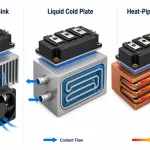
You also need to pick the cooling type. Air cooling is simple and cheap. Liquid cooling works better and is quieter. But liquid cooling is harder to install. If you want a quiet computer, check the noise level.
Tip: Measure your case before you buy a heat sink. This helps you avoid problems when installing it.
Maintenance Guidelines
You keep your computer working by caring for the heat sink. Cleaning it often helps stop problems. Here are some steps you should follow:
- Clean the heat sink often so dust does not block airflow.
- Check the thermal paste every few years or after you remove the cooler. Replace it if it looks dry or cracked.
- Watch your CPU temperatures. If they go up, you may need new thermal paste.
- Look at the heat sink for damage and make sure it is tight.
| Condition | Recommendation |
|---|---|
| Every few years | Reapply thermal paste |
| After cooler removal | Replace thermal paste |
| If CPU temperatures climb | Consider reapplying |
Doing regular maintenance helps a lot. You spend less money fixing your computer. Your computer parts last longer. Your system stays safe and works well.
| Benefit | Description |
|---|---|
| Reduced Maintenance Costs | You can lower costs by up to 70 percent with good thermal care. |
| Extended Lifespan of Components | Your computer parts last longer with proper heat sink upkeep. |
| Improved Safety and Efficiency | Better cooling keeps your system safe and working well. |
🛠️ Note: Keeping your chipset heat sink clean and checked helps your computer stay reliable for many years.
You help your computer stay healthy by picking and taking care of the right chipset heat sink. Research shows that better heat sinks make chips cooler and help your computer work better. Look at the table below to see what experts found:
| Key Findings | Description |
|---|---|
| Role of Heat Sinks | Heat sinks control heat in strong GPUs. |
| Hybrid Cooling Solutions | Hybrid designs can cool chips by up to 37.9 K. |
| Performance Improvement | Cooling parts use less power and make computers more reliable. |
- New materials like graphene will make cooling even stronger.
- AI can help control heat before it becomes a problem.
Watch your computer’s temperature often. If you take care of heat, your computer will be faster and last longer.
FAQ
What happens if you do not use a chipset heat sink?
Your chipset can overheat without a heat sink. Overheating causes your computer to slow down, freeze, or even shut off. You risk damaging your motherboard and losing important data.
How often should you clean your chipset heat sink?
You should clean your chipset heat sink every three to six months. Dust builds up quickly and blocks airflow. Regular cleaning keeps your system cool and running well.
Can you upgrade your chipset heat sink?
Yes, you can upgrade your chipset heat sink. Choose a model that fits your motherboard and case. Upgrading helps improve cooling, especially if you use your computer for gaming or heavy tasks.
What signs show your chipset heat sink needs attention?
If you hear loud fans, feel heat near your computer, or notice random shutdowns, check your heat sink. These signs mean your cooling system may not work well.