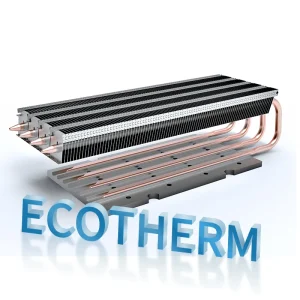
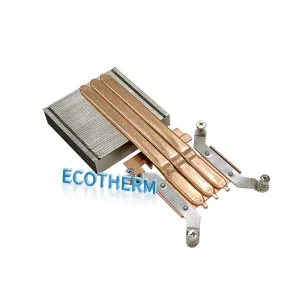
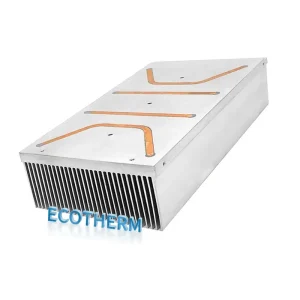
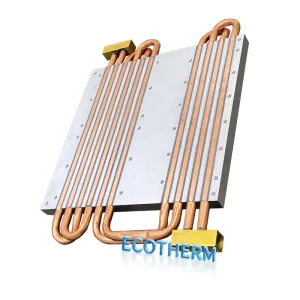
Think of a heatsink like a radiator in your car—it pulls heat away from important parts and spreads it out so it can cool down fast. When your computer’s CPU works hard, it gets hot. You need a way to keep it cool, or you risk damage. Overheating actually causes more than half of all electronic device failures. Some heatsinks use just metal fins and natural airflow, while others add fans for extra cooling. In high-performance systems, active heatsinks with fans move heat out quickly and keep things running smoothly.
what is a heatsink
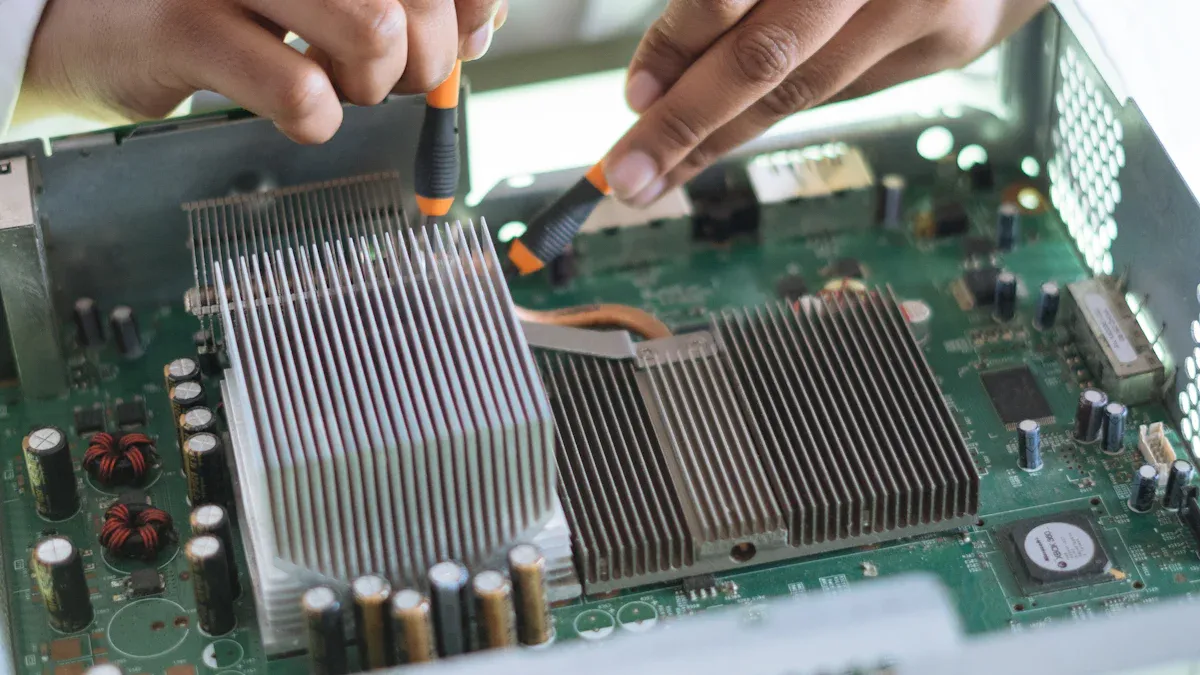
heatsink purpose
You might wonder what a heatsink actually does inside your computer or game console. In simple terms, a heatsink is a special part that helps get rid of heat. It sits on top of parts that get hot, like your CPU, and pulls the heat away so those parts stay cool. Most heatsinks use metals like aluminum or copper because these materials move heat quickly. The heatsink spreads out the heat over a larger area, usually with lots of thin fins, so air can carry it away faster.
Here’s why you need a heatsink:
-
It keeps your electronics from overheating.
-
It makes sure your computer or device runs smoothly, even when you’re playing games or working hard.
-
It helps your devices last longer by protecting them from heat damage.
You can find passive heatsinks, which work without any moving parts. For example, Ecothermgroup’s heatsink uses a passive design. It relies on its metal fins and smart shape to move heat away from the CPU. This means you get reliable cooling without extra noise or parts that might wear out.
common applications
You see heatsinks in all kinds of electronics, not just computers. Here are some places where you’ll find them working hard:
-
Computers and laptops use heatsinks to cool CPUs and graphics cards.
-
Gaming consoles need them to keep processors cool during long gaming sessions.
-
Smartphones and tablets have tiny heatsinks inside to handle heat in small spaces.
-
Home appliances like refrigerators and air conditioners use them to manage heat from their electronic controls.
-
Audio amplifiers rely on heatsinks to prevent overheating in high-powered sound systems.
-
LED lighting uses heatsinks to keep bulbs cool and make them last longer.
No matter where you find them, heatsinks play a big role in keeping your tech safe and running at its best.
how a heatsink works
heat transfer basics
Let’s break down what happens when your computer starts heating up. Imagine you’re baking cookies. The oven gets hot, and the heat moves from the metal tray to the cookies. In your computer, the heatsink acts like that tray, pulling heat away from the CPU and spreading it out. You want that heat to leave the CPU fast, or things get too hot.
A heatsink uses three main ways to move heat:
|
Mechanism |
Description |
Role in Heatsinks |
|---|---|---|
|
Convection |
Transfer of heat between a solid surface and a fluid in motion. |
Primarily used to dissipate heat into the environment; efficiency depends on airflow and surface area. |
|
Radiation |
Heat transfer through electromagnetic waves, typically in the infrared. |
Generally a smaller contribution; becomes significant at higher temperatures but less impactful in most applications. |
|
Conduction |
Transfer of heat through a solid material due to atomic movement. |
Critical for transferring heat from the electronic component to the heat sink, ensuring effective heat spread. |
First, the heatsink sits right on top of the hot part, like the CPU. Heat travels from the CPU into the heatsink by conduction. The metal in the heatsink grabs the heat and spreads it out. Next, the heat moves from the heatsink’s surface into the air by convection. If you have a fan, it blows air across the heatsink, carrying heat away even faster. Radiation also helps a little, but most of the cooling comes from conduction and convection.
When dealing with high-power sources, rapid heat spreading from the base of a heat sink is vital.
You want the heat to leave the CPU quickly and spread out over the heatsink. That’s why material choice matters. Copper moves heat fast, so it’s great for powerful computers. Aluminum is lighter and works well for everyday devices. Some heatsinks use both metals to get the best of both worlds.
Thermal management is not an afterthought—it’s a critical design parameter from day one.
role of fins and surface area
Now, let’s talk about those fins you see on a heatsink. They look like tiny metal fingers sticking out everywhere. Why do you need so many? The answer is simple: more fins mean more surface area. The bigger the surface area, the easier it is for heat to escape into the air.
-
A larger heatsink surface area allows for more effective heat transfer to the surrounding air.
-
Increased surface area enhances convective heat transfer, which is essential for cooling.
-
As heated air rises, it creates a natural flow of cooler air, improving the overall cooling process.
Picture a sponge soaking up water. A big sponge with lots of holes can soak up more water than a small one. In the same way, a heatsink with lots of fins can get rid of more heat. The design of the fins matters, too. Wave-shaped fins move heat better than straight fins, especially when you add a fan. If you use active cooling (like a fan), the heatsink can get rid of heat much faster than if you just let air move naturally.
-
Active cooling significantly enhances the efficiency of heat dissipation compared to passive cooling across various heatsink designs.
-
The wave fin heatsink design exhibits the highest heat transfer coefficient, achieving 19.4 W/m²·K for passive cooling and 85 W/m²·K for active cooling.
-
Conversely, heatsinks with straight fins of alternating height show the lowest efficiency, with coefficients of 15.2 W/m²·K for passive and 66.1 W/m²·K for active cooling.
Airflow is super important. If air can’t move across the fins, heat gets stuck. You want air to flow smoothly over the heatsink and out of the computer case. Faster airflow means more heat leaves the system. The direction of the airflow matters, too. Air should move across the fins and exit freely, so heat doesn’t build up.
Our biggest wins came when thermal considerations shaped the entire device architecture.
When you pick a heatsink, you should look at the material, the shape of the fins, and how air moves through your device. These things work together to keep your electronics cool and safe.
heatsink components
base and fins
When you look at a heatsink, you’ll notice two main parts: the base and the fins. The base sits right on top of the hot chip, like your CPU. Its job is to grab heat quickly and spread it out. The fins stick out from the base and look like tiny metal blades or fingers. These fins give the heatsink a much bigger surface area, so heat can move into the air faster.
You might wonder what metals work best for these parts. Most manufacturers use aluminum or copper. Here’s a quick comparison:
|
Material |
Thermal Conductivity (W/m·K) |
Density (g/cm³) |
Description |
|---|---|---|---|
|
Aluminum |
200–235 |
2.7 |
Lightweight, easy to shape, and great for most devices. |
|
Copper |
385–400 |
8.9 |
Moves heat even faster, but it’s heavier and costs more. |
Aluminum is light and cost-effective, so you’ll see it in most computers and electronics. Copper works best when you need to move a lot of heat, like in gaming PCs or servers. Sometimes, you’ll find heatsinks that use both metals to get the best of both worlds.
Tip: The more fins you have, the more heat your device can get rid of—just make sure air can flow between them!
thermal interface materials
Even if you have the best base and fins, you still need something to help heat move from your chip to the heatsink. That’s where thermal interface materials (TIMs) come in. These are special pastes or pads that fill tiny gaps between surfaces. Without TIMs, air would get trapped in those gaps, and air doesn’t move heat well at all.
-
TIMs fill microscopic spaces between the chip and the heatsink.
-
They push out air, which is a poor heat conductor.
-
By improving contact, TIMs help heat flow smoothly from your chip to the cooling fins.
You’ll find TIMs in almost every electronic device. They make sure your cooling system works as efficiently as possible. If you ever build or upgrade a computer, don’t forget this step. A good TIM can make a big difference in keeping your device cool and safe.
heatsink types
passive vs active
There are two main ways to cool things down: passive and active. Passive heatsinks use just their metal body and fins to move heat away. They depend on air moving naturally and do not have any moving parts. Active heatsinks use a fan or pump to push air or liquid over the fins. This helps cool things down much faster.
Here is a simple chart to show the differences:
|
Feature |
Passive Heatsinks |
Active Heatsinks |
|---|---|---|
|
Natural convection, radiation, conduction |
Fans or pumps boost cooling |
|
|
Efficiency and Performance |
Good for low to moderate heat |
Handles high heat loads easily |
|
Cost and Maintenance |
Lower cost, almost no maintenance |
Higher cost, may need repairs for moving parts |
|
Size and Design |
Often larger for better cooling |
More compact thanks to extra cooling power |
Passive heatsinks are in many devices because they are simple and quiet. In 2023, people used about 2.7 billion passive heatsinks. Active heatsinks are also common, especially in gaming computers and servers. Last year, 920 million active heatsinks were used.
Tip: If you want your device to be quiet and easy to care for, pick passive. If you need the best cooling, choose active.
hybrid and advanced types
Sometimes, you want both quiet and strong cooling. Hybrid heatsinks mix passive fins with fans or even liquid cooling. This means you get strong cooling when things get hot and quiet when things are calm. These heatsinks work well for devices that sometimes work hard and sometimes rest.
Advanced heatsinks use new materials and smart shapes to cool even better. These heatsinks can handle tough jobs and keep your device safe. They might cost more or be a bit harder to use.
Here are some cool new ideas:
-
Companies are trying new materials and shapes to make heatsinks better for new CPUs.
-
Experts with lots of experience are making smarter cooling for powerful computers.
-
Some teams use special computer programs and 3D printing to make custom cooling devices quickly.
-
These new ways help keep up with the needs of today’s technology.
Note: As computers get faster, heatsinks keep getting better to keep everything cool and working well.
choosing a heatsink
performance factors
When you pick a heatsink, you want to make sure it can handle the heat your device makes. Start by figuring out how much heat your chip or part gives off. This is usually measured in watts (W). Next, check the highest temperature your device can safely reach and the temperature of the air around it. These numbers help you know how much cooling you need.
Here are the main things to look at:
-
Figure out the heat your device produces.
-
Know the highest safe temperature for your chip and the air around it.
-
Decide if you will use natural airflow or a fan to move air.
-
Calculate the thermal resistance you need. Use this formula:
Thermal Resistance = (Max Chip Temp - Air Temp) / Heat Produced
You also want to think about the shape and size of the heatsink. More surface area means better cooling. The material matters too. Copper and aluminum work best because they move heat quickly. Fins and special shapes can help heat escape faster.
If you choose the wrong size or material, your device might get too hot and slow down or even break.
selection tips
Choosing the right heatsink can feel tricky, but you can follow a few simple steps:
-
Calculate the thermal resistance you need. Make sure the heatsink you pick has a thermal resistance equal to or less than your number.
-
Pick a material with high thermal conductivity. Copper cools best, but aluminum is lighter and costs less.
-
Check the size and shape. Use charts from the manufacturer to match the heatsink to your airflow and cooling needs.
-
Look at the fin design. More fins or special shapes can help move heat better.
-
Make sure the mounting is secure. Uneven pressure can cause air gaps and poor cooling.
-
Don’t forget the thermal paste or pad. This helps heat move from your chip to the heatsink.
-
Keep the area clean. Dust can block airflow and make cooling less effective.
|
Material |
Thermal Conductivity [W/(m·K)] |
|---|---|
|
Copper |
385 |
|
Aluminum |
205 |
|
Steel |
50.2 |
|
Ceramics |
40–400 |
If you follow these tips, you’ll keep your device cool and running strong.
You now know what a heatsink is and how it works. Heatsinks are important for your devices. They help your electronics stay cool and work well. Here’s why keeping things cool matters:
-
Devices work best when they do not get too hot.
-
If your computer or phone gets too hot, it can slow down and not last as long.
-
Heatsinks stop damage and help your tech stay safe.
A good heatsink keeps your technology cool and working great. It helps your devices be ready for anything. 
FAQ
What does a heat sink do?
A heat sink pulls heat away from your computer’s CPU or other electronics. It spreads the heat out so air can carry it away. This keeps your device cool and safe.
How do I know if my device needs a heat sink?
If your device gets hot while working, you probably need a heat sink. Most computers, gaming consoles, and even some LED lights use heat sinks to prevent overheating.
Can I use a heat sink without a fan?
Yes, you can use a passive heat sink without a fan. It relies on natural airflow. If your device gets very hot, you might want to add a fan for extra cooling.
What materials work best for heat sinks?
Aluminum and copper work best. Aluminum is light and affordable. Copper moves heat faster but costs more. Some heat sinks use both metals for better performance.
Do I need thermal paste with my heat sink?
You should use thermal paste or a thermal pad. It fills tiny gaps between the heat sink and your chip. This helps heat move quickly and keeps your device cooler.