You might notice your computer gets warm when you use it for gaming or editing videos. A heat sink keeps things cool inside your computer. It pulls heat away from parts like the CPU, GPU, RAM, and chipsets. Without a heat sink, these components can get too hot, which lowers their performance and shortens their lifespan.
| Key Points | Description |
|---|---|
| Impact of High Temperatures | Hot chips can slow down and even fail sooner. |
| Role of Heat Sinks | They lower temperatures and help your computer last longer. |
| Cooling Efficiency | Good cooling keeps your system running smoothly and reliably. |
Key Takeaways
- A heat sink keeps your computer cool by absorbing heat from important parts like the CPU and GPU.
- Using the right material, like copper or aluminum, helps heat sinks work better and last longer.
- Good airflow and clean vents are essential for heat sinks to effectively dissipate heat.
- If your computer runs slow or gets too hot, it might be time to upgrade your heat sink.
- Regularly check and clean your heat sink to prevent dust buildup and ensure optimal performance.
What Is a Heat Sink?
Definition and Role
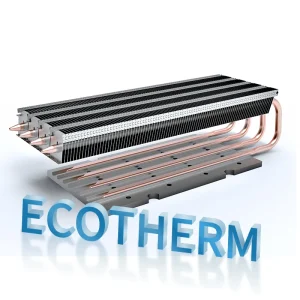
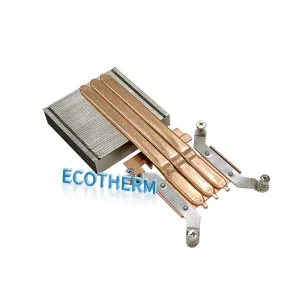
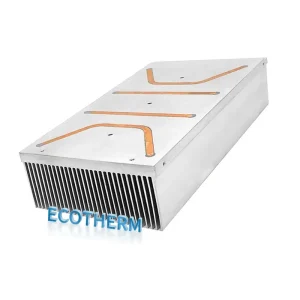
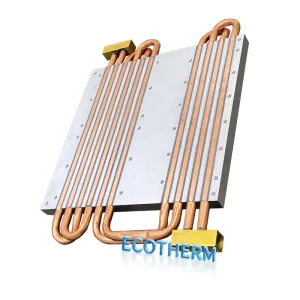
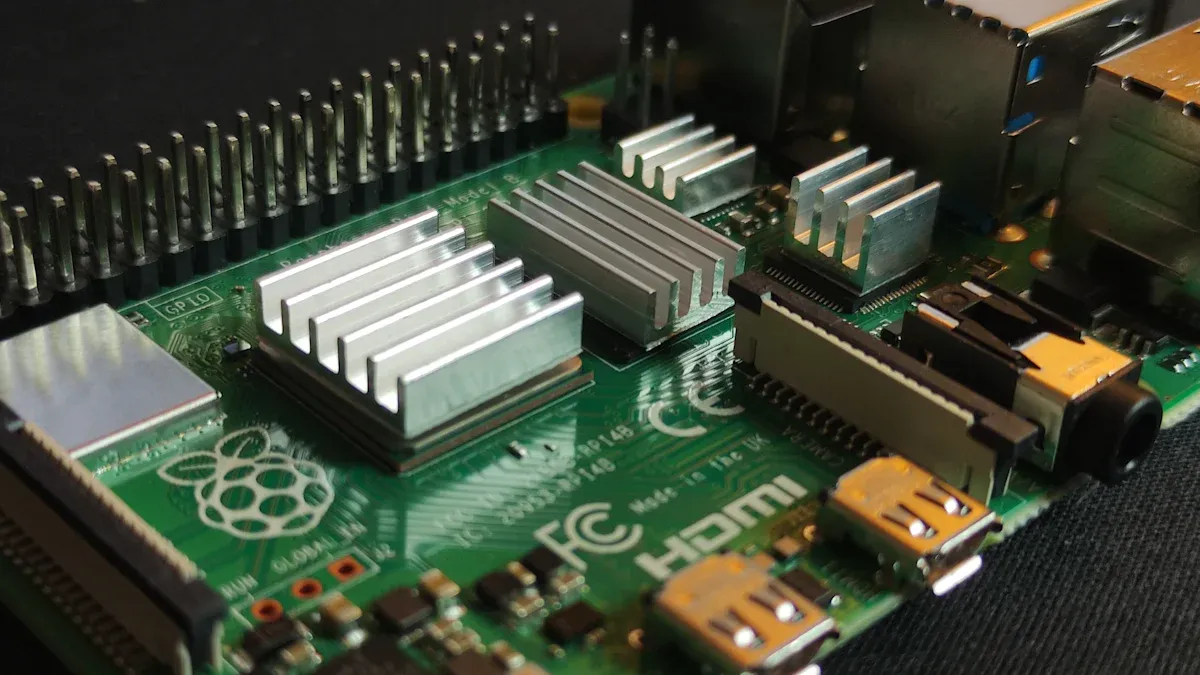
You might wonder what a heat sink actually does inside your computer. A heat sink is a hardware part that helps keep things cool. It absorbs heat from electronic components, like your CPU or GPU, and moves that heat away so your computer doesn’t get too hot. Most heat sinks use metal, such as aluminum or copper, because these materials transfer heat well. You’ll see fins on a heat sink, which increase the surface area and help release heat into the air faster.
Think of a heat sink as a bridge for heat. It grabs the warmth from your computer’s busy parts and sends it out so everything stays safe and runs smoothly.
Components Cooled by Heat Sinks
Your computer has several parts that need cooling. The most important ones include:
- CPU (Central Processing Unit)
- GPU (Graphics Processing Unit)
- RAM (Random Access Memory)
- Chipsets on the motherboard
If you use your computer for gaming, video editing, or other heavy tasks, these components can get very hot. A heat sink helps keep their temperature down, which means you get better performance and fewer crashes.
Heat Sink Materials
The material of a heat sink makes a big difference in how well it works. Aluminum and copper are the most common choices. Copper transfers heat better, but aluminum is lighter and less expensive. Here’s a quick look at how they compare:
| Material | Thermal Conductivity (W/(m·K)) |
|---|---|
| Aluminum 1050 | 229 |
| Aluminum 6060 | 166 |
| Aluminum 6061 | 201 |
| Pure Copper | 400 |
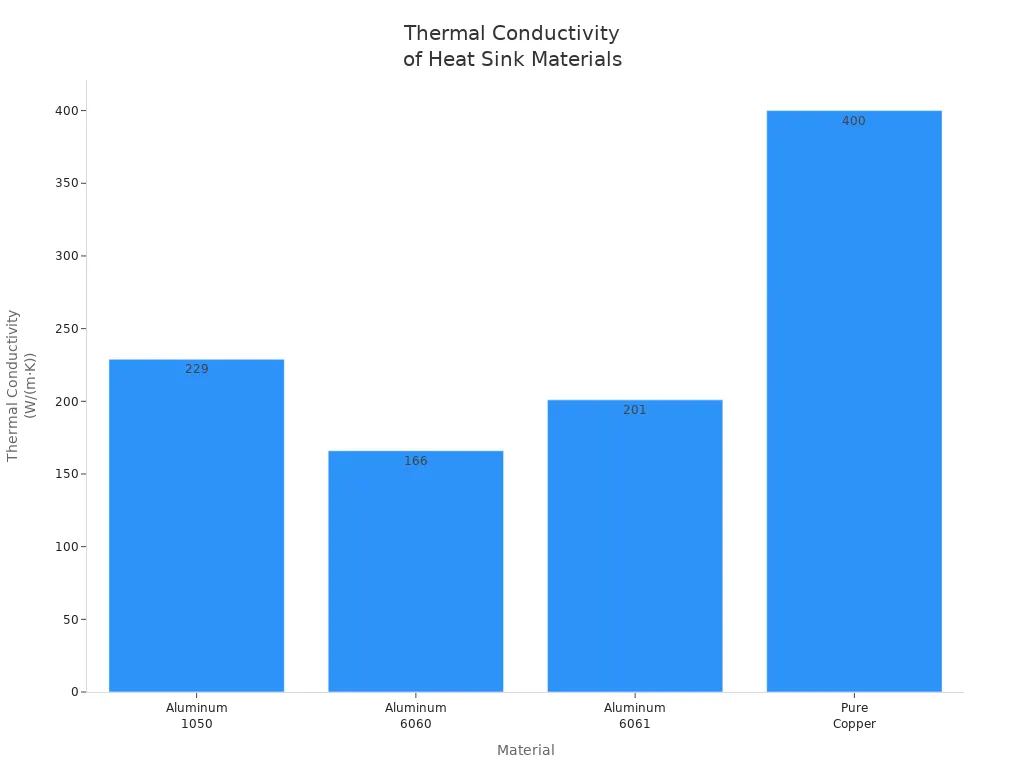
If you want a heat sink that cools faster, copper is the top choice. Aluminum works well for most everyday computers and keeps things light. Picking the right material helps your computer stay cool and last longer.
How Heat Sink Works
Absorbing Heat
When your computer runs, parts like the CPU and GPU get hot. The heat sink sits right on top of these components. It acts like a sponge for heat, pulling warmth away from the chip. Here’s how this process works step by step:
- The chip produces heat during operation.
- The heat travels from the chip into the heat sink through direct contact.
- A special paste called thermal interface material (TIM) fills tiny gaps between the chip and the heat sink. This paste helps heat move smoothly by removing air pockets that slow down the transfer.
Tip: Always make sure the heat sink is firmly attached and the TIM is applied correctly. This helps your computer stay cool and run better.
At the microscopic level, the heat sink uses thermal conduction to move heat from the chip to its own body. The material of the heat sink matters a lot. Aluminum and copper are popular choices because they transfer heat quickly. Here’s a quick look at how these materials compare:
| Property | Aluminum | Copper |
|---|---|---|
| Thermal Conductivity (W/mK) | 237 | 400 |
| Density (g/cm³) | 2.7 | 8.96 |
| Specific Heat (J/g·K) | 0.91 | 0.39 |
| Relative Cost | Lower | Higher |
| Machinability | Excellent | Good |
Aluminum is lighter and absorbs more heat before getting hot, while copper moves heat faster. You might see copper in high-performance computers and aluminum in everyday systems.
Dissipating Heat
Once the heat sink absorbs heat, it needs to get rid of it. The goal is to send the heat away from your computer’s important parts. The heat sink uses two main methods:
- Convection: The heat sink has fins that increase its surface area. Air moves over these fins and carries heat away. If your computer has fans, they push air over the heat sink, making this process even faster.
- Radiation: Some heat leaves the heat sink as invisible energy waves. This method is less important than convection but still helps, especially when things get really hot.
Here’s a simple list of what helps the heat sink work better:
- Good airflow inside your computer case.
- Clean vents and fans.
- Proper placement of the heat sink and fans.
Note: If your computer gets too hot, check for dust in the fans or vents. Clean them to help the heat sink do its job.
The environment around your computer also affects how well the heat sink works. If the room is cool and air moves freely, the heat sink can release heat faster. More airflow means less heat stays inside your computer.
A heat sink keeps your computer safe by absorbing heat from the chip and sending it out into the air. The right material, good airflow, and proper setup all help your computer stay cool and run smoothly.
Types of Heat Sink
Passive Heat Sink
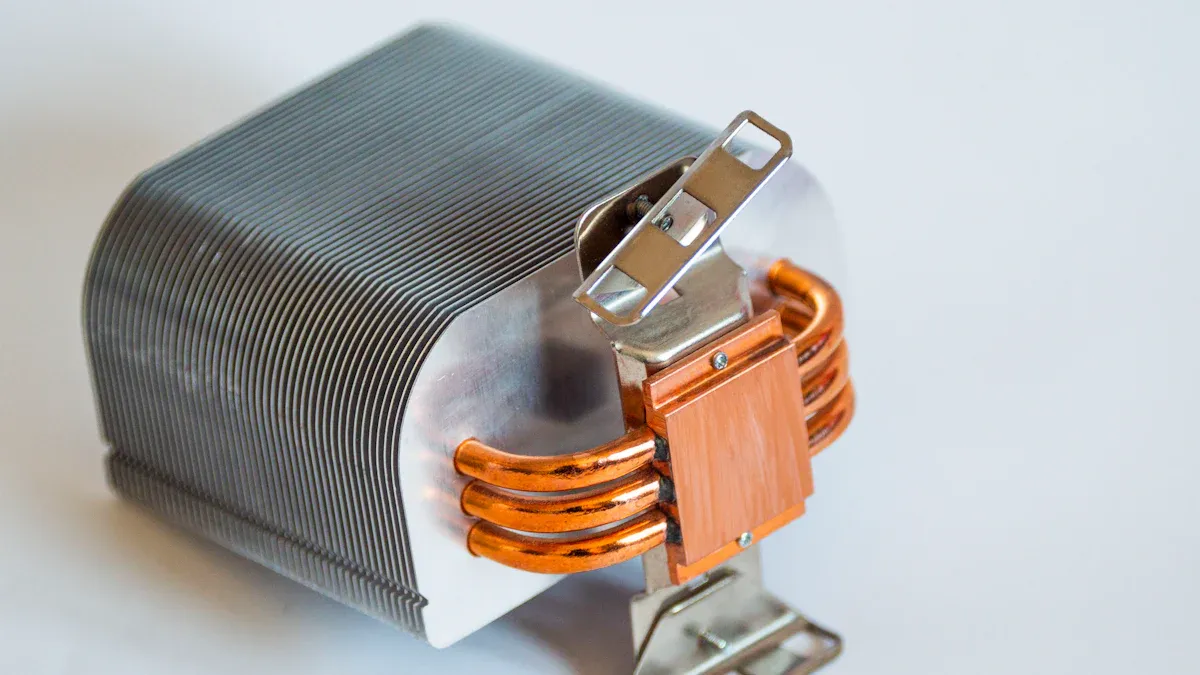
A passive heat sink works quietly in your computer. It has no moving parts or fans. Instead, it uses metal fins and a large surface area to let heat escape into the air. You do not need to plug it in or worry about extra power. The heat just rises away from your computer’s parts through natural convection. This type is great if you want a silent system or have devices like SSDs or routers that do not get very hot.
Tip: Passive heat sinks need good airflow around them. Make sure nothing blocks the air so heat can move away easily.
Active Heat Sink
An active heat sink uses a fan or sometimes even a pump to push air or liquid over the metal fins. This extra movement helps cool your computer much faster. You will often find active heat sinks on CPUs and GPUs because these parts get hot quickly. The fan does make some noise, and you might need to clean it now and then, but it keeps your system running smoothly during heavy tasks like gaming.
Here’s a quick comparison between passive and active heat sinks:
| Feature | Active Heat Sink | Passive Heat Sink |
|---|---|---|
| Air movement | Fan-assisted | Natural convection |
| Noise | Yes (fan noise) | No noise |
| Maintenance | Needs cleaning | Very low |
| Efficiency | Higher | Lower but steady |
| Power requirement | Needs electricity | No power needed |
| Use case | CPUs, GPUs | SSDs, routers |
Active cooling systems use fans or pumps to move heat away fast. This makes them perfect for high-performance computers.
Hybrid Heat Sink
A hybrid heat sink gives you the best of both worlds. It works like a passive heat sink most of the time, staying quiet and using no extra power. When your computer gets hot, a fan turns on to help cool things down. This design saves energy and keeps noise low, but still protects your computer during heavy use.
You might see hybrid heat sinks in computers, servers, or even LED lighting. They offer strong cooling, flexibility, and a compact size. If you want a balance between silence and performance, a hybrid heat sink is a smart choice.
Why Heat Sinks Matter
Preventing Overheating
You want your computer to stay cool. A heat sink helps stop it from getting too hot. When you play games or edit videos, the CPU and GPU heat up fast. If the cooling system cannot keep up, problems can happen. Your processor might slow down to protect itself. Your computer could shut down without warning. Apps might crash or your device could restart.
Tip: Dust can block vents and fans. This makes it harder for the heat sink to work. Clean your computer often to help it run well.
Here is a quick look at how cooling helps your computer:
| Evidence Type | Description |
|---|---|
| Heat Sinks and Fans | Heat sinks take heat from CPUs and GPUs. They spread heat over a bigger area so it can leave faster. |
| Inadequate Cooling Solutions | Not enough cooling can slow down your computer. You need good cooling to keep things safe. |
| Thermal Management Strategies | Good cooling helps your CPU last longer. It also keeps your computer working well during hard tasks. |
Protecting Components
You use your computer every day, so you want it to last. Too much heat can hurt important parts like your processor and memory. SSDs and DDR memory can slow down or break if they get too hot. Extra heat can cause more errors in SSDs. It can also damage memory for good. Keeping your computer cool protects these parts and saves money on repairs.
- Dust can build up on heat sinks and fans. This traps heat and blocks air from moving.
- Less airflow makes it harder for your computer to cool down. This raises the temperature.
- Over time, dust in the fins of the heat sink can make it work up to 75% less well.
Note: If your computer feels hotter than normal, check for dust. Clean it out to help protect your hardware.
Ensuring Performance
You want your computer to be fast and smooth. A good heat sink keeps things cool so your CPU and GPU work their best. When your computer stays cool, you avoid slowdowns and crashes. Tests show that better cooling really helps:
| Heat Sink Model | Temperature (°C) | Load (W) | Improvement (%) |
|---|---|---|---|
| Dark Rock Pro 4 | 11°C cooler | 150 | N/A |
| Aluminum Coolers | 42°C | 150 | N/A |
| Copper-based Designs | 34°C | 150 | 19% |
| High-density fin arrays | N/A | N/A | 28% |
If you keep your computer cool, it runs faster and lasts longer. You can play games, watch videos, and work without slowdowns or shutdowns.
Choosing a Heat Sink
Material and Design
When you pick a heat sink, you want to look at the material and how it is built. Materials like copper and aluminum help move heat away from your computer parts. Copper cools faster, but aluminum is lighter and costs less. The design matters too. Fins on the heat sink make a big difference. More fins mean more surface area, so heat leaves faster. You also need to think about how the fins are arranged. Good airflow around the fins helps keep your computer cool.
Here is a table that shows what to check when choosing materials and design:
| Factor | Description |
|---|---|
| Thermal Resistance | How well the material resists heat flow. |
| Material Properties | Things like thermal conductivity, weight, and cost. |
| Fin Design | The way fins are set up to help heat escape. |
| Thermal Interface Materials | Stuff that helps connect the heat sink to the chip. |
| Manufacturing Processes | How the heat sink is made, which can change its performance and price. |
Tip: Fins help heat move away faster. Make sure your heat sink has enough fins and good airflow.
Compatibility
You want your heat sink to fit your computer. If it does not fit right, you can have problems. Sometimes, a warped heat sink causes uneven temperatures. You might need to adjust it or try a different one. Some laptops have trouble with certain heat sinks. Always check the size and shape before you buy. Make sure the mounting holes match your motherboard. If you use too much thermal paste, it can block heat instead of helping. Dust can also clog the fins and fans, making your computer overheat.
Here are things to watch for:
- The heat sink must match your CPU socket.
- The size should fit inside your case.
- The mounting system needs to line up with your motherboard.
- Avoid using too much thermal paste.
- Clean dust from the fins and fans often.
Note: Using the wrong heat sink can slow down your computer or cause crashes.
When to Upgrade
Sometimes, you need to replace your heat sink. You might notice your computer runs slower or shuts down during games. If you see cracks, rust, or bent fins, it is time for a new one. Loud fans can mean your heat sink is clogged or not working well. Old heat sinks may not handle new, hotter chips. If you see burn marks or need to fix your cooling system often, you should upgrade.
Here are signs you need a new heat sink:
- Your computer slows down or crashes.
- You see damage or rust on the heat sink.
- Fans run loud all the time.
- Power use goes up.
- Your computer is old and has new parts.
- You see burn marks or hot spots.
- You fix the cooling system a lot.
Tip: If your computer gets hot and you see these signs, upgrading your heat sink can help keep things cool and safe.
Heat sinks play a huge part in keeping your computer cool and running smoothly. You need good thermal interface materials and solid assembly to get the best heat transfer. New designs and materials, like graphene, help heat sinks work even better. When you pick the right heat sink, you protect your computer from overheating and boost its lifespan.
- Always check the material, fin design, and airflow.
- Make sure your heat sink fits your system.
- Think about upgrading if your computer gets hot often.
Your choices keep your computer safe and fast! 🖥️
FAQ
What happens if my computer does not have a heat sink?
Your computer can overheat fast. You might see slowdowns, crashes, or even permanent damage. A heat sink keeps your parts safe and helps your system last longer.
How do I know if my heat sink is working?
You can check your computer’s temperature with free software. If your system stays cool and quiet, your heat sink works well. Loud fans or sudden shutdowns can mean trouble.
Can I clean my heat sink myself?
Yes, you can! Turn off your computer and unplug it. Use a can of compressed air to blow dust off the fins and fan. Do this every few months for best results.
Do all computers use the same heat sink?
No, they don’t. Different CPUs and cases need different shapes and sizes. Always check your computer’s specs before you buy a new heat sink.