CUSTOM HEAT SINK, PERFECTED FOR YOU.

Custom Cold PlateIs for AI Server

Custom Cold PlateIs for AI Server

You have big problems cooling strong GPUs in AI servers. New chips make rack power go up to 130 kW and even 250 kW. This is much higher than the 10 kW racks from 2023.

Bad cooling can make GPUs slow down. This can cut efficiency by half and make hardware not last as long.
Custom cold plate gpu solutions help stop overheating. They let you get better performance and keep things working well.

Year

Rack Power Capacity (kW)

2023

<10

2026

50-100

Key Takeaways

  • Custom cold plates give special cooling for AI servers. They help GPUs work well and last longer. Liquid cooling with cold plates works better than air cooling. It saves energy and makes the system more reliable. Picking good materials, like copper, helps move heat away fast. This keeps GPUs cool and stops them from getting too hot. Custom designs stop hot spots from forming. They also let you fit more racks in one place. This helps data centers do bigger jobs without using more energy. Using custom cold plates means less money spent on repairs. There is also less downtime, so AI and HPC work better.

Cold Plate GPU Cooling Role

How Cold Plates Enable Efficient Cooling

It is important to keep AI and HPC servers cool. Cold plate gpu solutions help move heat away from GPUs quickly. The plates sit on top of the chips and pull heat into a liquid. This works better than air cooling, especially when GPUs are close together.

  • Cold plates move heat from GPU chips to the cooling system.

  • They use liquid cooling to remove heat from important parts. This works better than fans in small spaces.

  • Direct-to-chip cooling pulls heat away fast. It can use single-phase or two-phase methods.

  • Some cold plates use special liquids that do not carry electricity. This makes them safe for strong servers.

You can look at this table to see how cold plates and air cooling are different:

Feature

Cold Plates

Air Cooling

Thermal Performance

Better at getting rid of heat

Not as good for long work

Stability

Keeps clock speeds steady

Can slow down from too much heat

Efficiency

Coolant touches the chip directly

Uses moving air

Noise Level

Makes less noise

Fans can be loud

Hardware Lifespan

Makes parts last longer

Overheating is more likely

Direct-to-Chip and Liquid Cooling Benefits

Direct-to-chip liquid cooling gives many good results. This way, heat leaves the chip more easily. Microchannels in the cold plate gpu help coolant flow and take away more heat. Good materials keep the GPU at a safe temperature.

  • GPUs work better and last longer because they stay cool.

  • You can put more processors in a small space. This helps data centers grow.

  • Liquid cooling uses less energy, so you pay less for power.

  • Some data centers save a lot of money each year with liquid cooling.

Liquid cooling lets you run strong jobs without using extra energy. This matters because old cooling can use up to 40% of a data center’s power. Cold plate gpu solutions help you do more work, save money, and keep hardware working longer.

Custom Cold Plate Design Advantages

Limitations of Standard Solutions

You might think that any cold plate can cool your AI server, but standard solutions often fall short. Off-the-shelf cold plates use a one-size-fits-all approach. These plates do not match the unique needs of high-power GPUs in dense server racks. You may notice that generic cold plates:

  • Do not fit the exact size or shape of your GPU or server.

  • Struggle to handle the high heat loads from modern AI chips.

  • Use basic fluid channels that do not move coolant efficiently.

  • Often use materials that do not transfer heat well.

Standard cold plates can leave hot spots on your GPU. This can slow down your system and shorten hardware life.

Tailoring for AI and HPC Needs

Custom cold plate gpu designs give you a big advantage. You get a cooling solution built for your exact system. Engineers design these plates to match the size, shape, and power needs of your GPUs. This means you get better cooling and more reliable performance.

Here are some ways custom cold plate gpu solutions help you:

  • You get a plate that fits your GPU and server perfectly.

  • The fluid channels are shaped to move coolant right where it is needed most.

  • You can choose the best materials for heat transfer.

  • The design supports higher flow rates, which means better cooling.

  • You avoid hot spots and keep your GPUs running at top speed.

Custom designs also let you use targeted fluid jets and microchannels. These features pull heat away from the hottest parts of your GPU. You can run more powerful jobs without worrying about overheating. Data centers with custom cold plates often see lower energy bills and longer hardware life.

Feature

Standard Cold Plate

Custom Cold Plate

Fit and Size

Generic

Exact Match

Cooling Performance

Basic

Optimized

Material Choice

Limited

Best Available

Channel Design

Simple

Advanced

Handles High Heat Loads

Sometimes

Always

Tip: If you want the best performance and longest life for your AI servers, choose a custom cold plate gpu solution. You will see better cooling, more uptime, and lower costs over time.

Key Design Factors for Cold Plate GPU

Material and Thermal Conductivity

You have to pick the right material for your cold plate gpu. The material you choose changes how fast heat leaves your GPU. Most cold plates use copper or aluminum. Copper moves heat away very fast, so it keeps things cooler. Aluminum is lighter and costs less money, but it does not move heat as well as copper. Stainless steel is strong and does not rust, but it is not good at moving heat.

Material

Thermal Conductivity (W/m·K)

Key Benefits

Corrosion Risk

Best for

Aluminum

~205

Lightweight; Highly cost-effective

Moderate

EV batteries, Aerospace, Cost-sensitive electronics

Copper

~400

Superior thermal conductivity

Low

HPC (CPUs/GPUs), High-power lasers, Semiconductors

Stainless Steel

~15–20

Exceptional corrosion resistance; High strength

Very Low

Medical devices, Marine, Food/Chemical processing

Tip: Copper moves heat fast and is best for strong GPUs. Aluminum is cheaper and still works well for many uses.

Flow Path and Geometry Optimization

How the coolant moves inside the cold plate is very important. You want the coolant to touch the hottest parts first. Engineers use computers to plan the best way for coolant to flow. They make channels that help the coolant move smoothly and stop blockages. Smart pumps can change how fast coolant moves if the GPU gets hotter.

Best Practice

Description

Benefits

CFD Simulation and AI Optimization

Use computer models to shape flow

Balanced flow, fewer design mistakes

Multi-Phase Coolants and Nanofluids

Use advanced liquids for better heat transfer

Smaller pumps, simpler designs

Modular and Distributed Systems

Split cooling into smaller loops

Easier to maintain, less risk of imbalance

A good flow path keeps pressure low and spreads coolant everywhere. This stops hot spots and keeps the whole GPU cool.

Integration with Server Architecture

You need to make sure the cold plate fits in your server. Using different metals together can cause rust, so you should match materials in the cooling system. Plan your cooling system early so you do not have problems later. Many data centers have trouble when they add new cooling to old servers.

Custom cold plate gpu solutions let you put more GPUs in each rack. This helps you run bigger jobs and use less power. Modular designs also make it easy to upgrade or fix your servers.

Performance and Reliability Impact

Enhanced GPU Performance

You want your AI servers to run fast and stay reliable. Custom cold plate gpu solutions help you reach this goal. These plates use high-efficiency fluids that pull heat away from your GPUs much better than air. When you keep your GPUs cool, you can increase the number of chips in each rack without losing speed or stability.

Custom cold plates give you precise temperature control. Engineers design the flow paths to match your GPU’s needs. This means your system handles high power without overheating. You get better thermal management, which is key for tough AI and HPC jobs. When your GPUs stay cool, they work at top speed for longer periods. You avoid slowdowns and keep your data center running smoothly.

A well-designed cold plate system lets you push your hardware to its limits without worry.

Hardware Longevity and Uptime

Keeping your GPUs cool does more than boost speed. It also helps your hardware last longer and reduces downtime. Good thermal management means your equipment does not get too hot, so parts do not wear out as fast. You spend less time fixing problems and more time getting work done.

  • AI predictive maintenance can cut infrastructure failures by 73%.

  • You may see 30-50% less downtime.

  • Maintenance costs drop by 18-25%.

When you use smart cooling, you can spot issues early. This helps you fix small problems before they turn into big ones. You get more accurate predictions of when parts might fail, so you can plan repairs and avoid surprise outages. Your servers stay online, and your team saves money on repairs.

Better cooling means fewer breakdowns and more uptime for your AI servers.

Real-World Success Cases
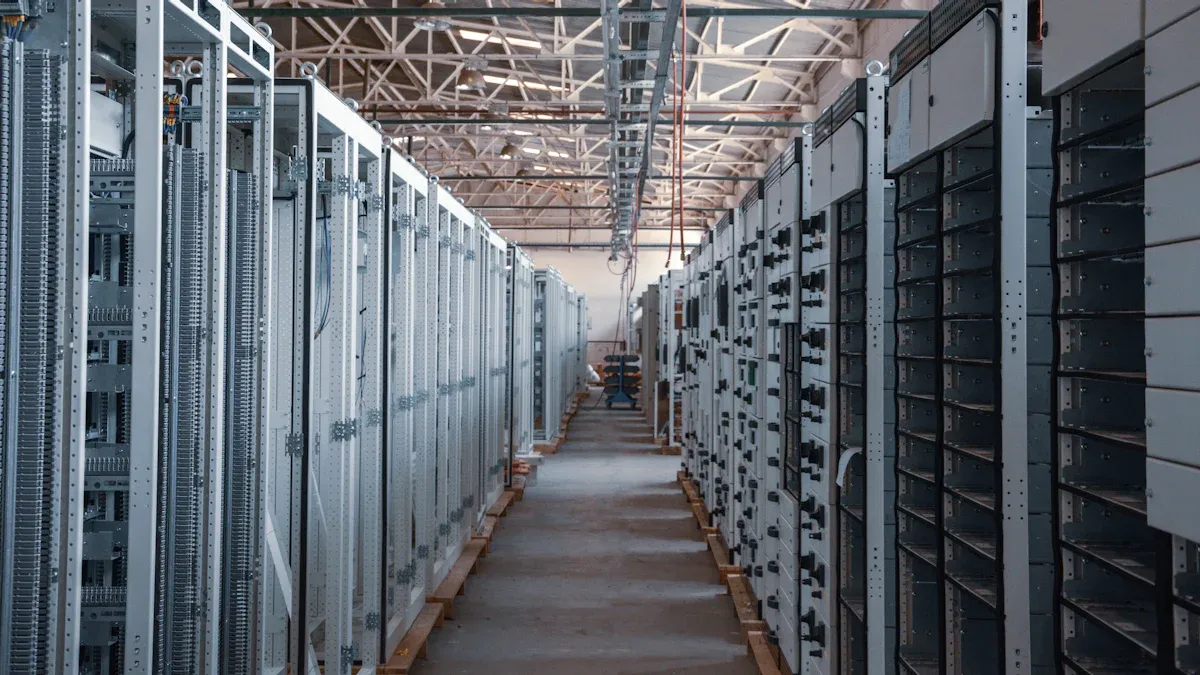
Real-World Success Cases

Case Studies in AI Data Centers

You can learn about custom cold plate solutions by looking at real AI data centers. Many centers use direct liquid cooling. In this method, cold plates touch the GPU die. This cools much better than air cooling, by 82%. You see this in racks with strong GPUs like H100 or GH200. Some centers use small cooling modules, like the iCDM-X. These can cool up to 1.6 megawatts of chips and only use 3kW of power. These systems have pumps, heat exchangers, cold plates, and digital monitors. The monitors check temperature, pressure, and flow.

Here is a table that lists important features from these setups:

Feature

Description

Cooling Method

Direct liquid cooling with cold plates on GPU die

Application

High-density AI GPUs (H100, GH200)

Cooling Capacity

Up to 1.6MW with compact modules

Power Usage

Only 3kW needed for cooling distribution

Components

Pumps, heat exchangers, cold plates, digital monitoring

Cold Plate Series

ICEcrystal series uses jet impingement for hotspot cooling

Some centers use pumped two-phase cooling. Here, cold plates sit on the hottest chips. The coolant takes in heat and turns into vapor. Then it cools down and becomes liquid again in a closed loop. This process needs careful planning to match the chip’s power map for the best results.

Measurable Improvements

Custom cold plate solutions give you big benefits. Many data centers see cooling energy costs drop by 25-40%. Some advanced centers save even more. One global cloud provider had almost 70% less unplanned downtime after using modular liquid cooling. You can run your hardware harder and not worry about overheating.

The table below shows how cooling methods compare:

Cooling Method

Performance

Energy Efficiency

Capacity for Growth

Computer Room Air Conditioning

Low

Low

Limited

Direct-to-Chip Cooling

High

High

Improved

Immersion Cooling

High

High

Improved

Now you have more ways to cool your servers than before. Direct-to-chip and immersion cooling help you do bigger jobs and save money. These new ways also help you use less energy and reach your sustainability goals.


Custom cold plate GPU solutions help AI and HPC servers in many ways. Here are the main benefits:

Benefit

Description

Improved Energy Efficiency

You use less electricity and save money.

Higher Rack Density

You can put more GPUs in each rack.

Guaranteed Peak Performance

Your GPUs stay cool and work well, even when busy.

You also get:

  • Lower power bills and your equipment lasts longer.

  • It is easier to add more GPUs as you need them.

  • There are fewer problems and less time when things are broken.

Cooling that is ready for the future helps you grow your data center and keep your hardware safe. Now is a good time to think about custom cooling for your servers.

FAQ

What is a custom cold plate GPU solution?

A custom cold plate GPU solution uses a specially designed metal plate to cool your GPU. Engineers shape it to fit your hardware and direct coolant to the hottest spots. This keeps your GPU running fast and safe.

Why should you choose custom cold plates over standard ones?

Custom cold plates match your GPU’s size and power needs. You get better cooling, fewer hot spots, and longer hardware life. Standard plates often cannot handle high heat or fit tightly.

How do cold plates help save energy in data centers?

Cold plates use liquid cooling, which removes heat faster than air. You use less electricity for cooling. Many data centers see energy costs drop by up to 40% after switching.

Can you upgrade your server with custom cold plates?

Yes! You can add custom cold plates to many servers. They fit your system and help you add more GPUs without overheating. Always check with your hardware provider for the best fit.

Latest Blog

From Concept to Mass Production – Your Professional Heat Dissipation Solution Partner

Scroll to Top

contact Ecotherm

We are available to assist you via email. Please don’t hesitate to get in touch, and we will respond to your inquiry as soon as possible.


Email:  support@ecothermgroup.com

Follow us on YouTube | TikTok | LinkedIn
Stay connected with us for updates, news, and more!


Please fill out the form below, and we will get back to you as soon as possible.

support@ecothermgroup.com

Contact Ecotherm

Please upload your design or requirements, and our experts will provide a precise cooling solution tailored to your needs.