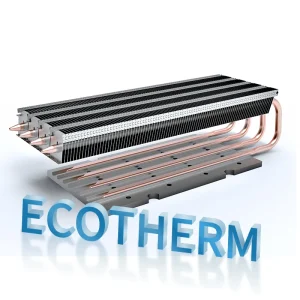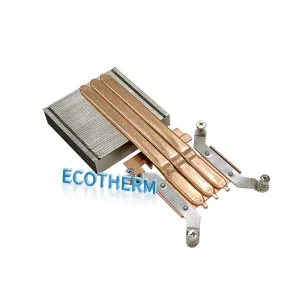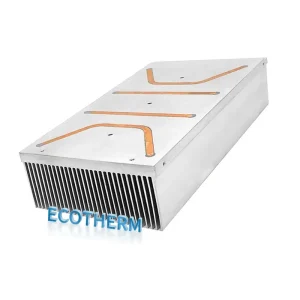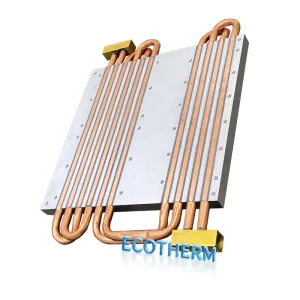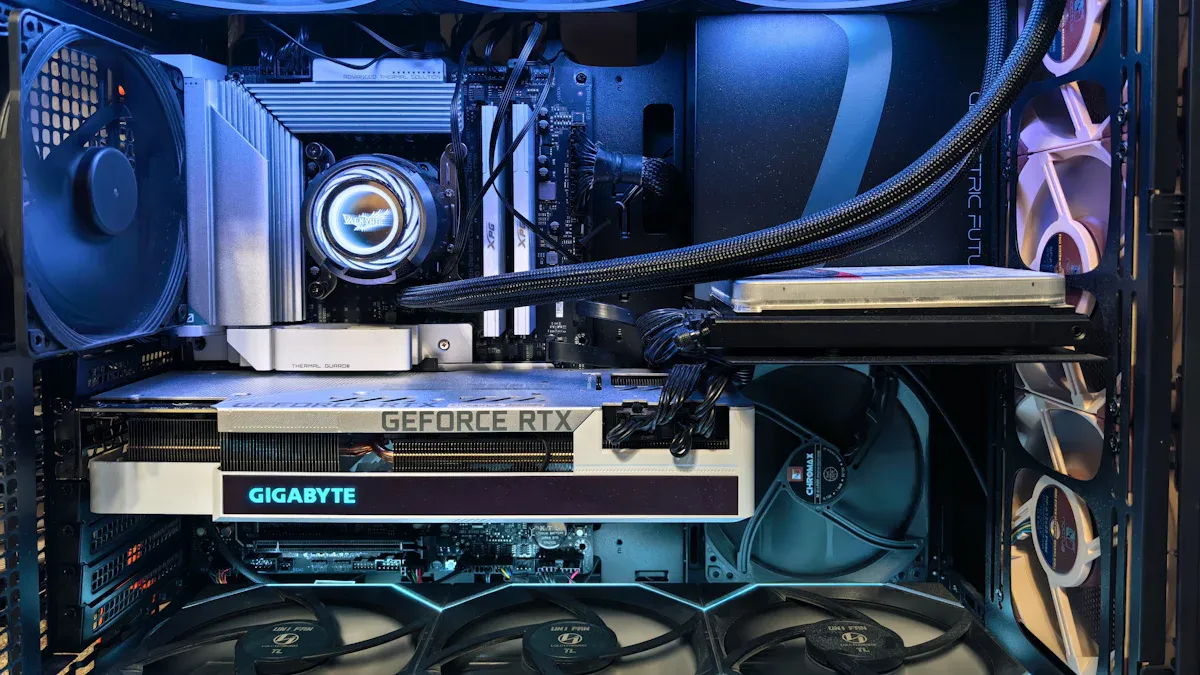
You might wonder which cooling method—heat sink, liquid cooling, or cold plate—is best for your needs. The answer depends on your specific requirements. A heat sink uses air to transfer heat away from components, while liquid cooling uses fluids to manage heat more effectively. A cold plate is excellent for moving heat efficiently between surfaces. Consider the following factors when making your choice:
- Efficiency: Liquid cooling generally offers better performance for demanding applications.
- Space: Heat sinks require more room, whereas liquid cooling systems and cold plates can fit into tighter spaces.
- Maintenance: Air-based heat sink systems are easier to maintain compared to liquid cooling setups.
- Noise: Liquid cooling systems tend to operate more quietly than traditional heat sinks.
- Cost: Liquid cooling and cold plate solutions have a higher upfront cost but can lead to energy savings over time.
If you’re interested in a custom radiator, feel free to contact us. Send us your drawings for a free evaluation.
Heat sink basics
How heat sinks work
A heat sink helps you keep your electronic devices cool. It works by moving heat away from important parts, like a computer processor or a power supply. The heat sink has a large surface area with many fins. These fins let air flow over them and carry heat away. You often see a fan attached to the heat sink. The fan pushes air across the fins and helps cool things down faster.
You can think of a heat sink as a bridge. It takes heat from the hot part and moves it to the cooler air around it. This process is called thermal conduction. The heat sink uses materials like aluminum or copper because they move heat well. When you compare a heat sink to liquid cooling or a cold plate, you will notice that a heat sink uses only air, not fluids, to do its job.
Tip: Make sure your heat sink stays clean. Dust can block airflow and make it less effective.
Common uses
You will find heat sinks in many places. Here are some common uses:
- Computers: Most desktop and laptop CPUs use a heat sink to stay cool.
- Power electronics: Devices like power supplies and amplifiers need heat sinks to prevent overheating.
- LED lights: High-power LEDs use heat sinks to last longer and shine brighter.
- Gaming consoles: These devices use heat sinks to keep processors from getting too hot.
| Device Type | Cooling Method Used |
|---|---|
| Desktop Computer | Heat sink |
| Gaming Console | Heat sink |
| High-power LED | Heat sink |
| Data Center Server | Liquid cooling |
If you need a custom radiator or have a special project, contact us today. Send us your drawings, and we will give you a free evaluation to help you find the best cooling solution.
Liquid cooling overview
How liquid cooling works
Liquid cooling uses a closed system to cool devices. Many parts work together in this system. The pump pushes coolant through the tubes. The coolant picks up heat from hot parts, like your computer’s processor or graphics card. The water block sits on these parts and helps move heat into the coolant. Tubes and fittings move the coolant to the radiator. The radiator lets the heat out into the air. This keeps your device at a safe temperature.
The coolant you use is important. Distilled water is popular because it moves heat well and holds a lot of heat. This means it can take more heat away from your parts. Every part in the system helps keep things cool and working well.
| Component | Function |
|---|---|
| Coolant Solution | Moves heat well; distilled water is used because it holds a lot of heat and moves heat easily. |
| Pump | Moves coolant around the system so it can pick up heat from parts. |
| Radiator | Lets heat out from the coolant into the air, making cooling better. |
| Water Block | Moves heat from parts to the coolant and has a big surface to help. |
| Tubes and Fittings | Carry coolant through the system; different materials change how bendy and strong they are. |
Tip: Always look for leaks in your liquid cooling system. Even a small leak can cause big trouble if you do not fix it fast.
Typical applications
Liquid cooling is used where high performance is needed. Gamers use it to keep computers cool during long games. Overclockers use it to make their hardware run faster without getting too hot. Data centers use liquid cooling to cool powerful servers. Some LED lights and machines in factories use liquid cooling when a heat sink or cold plate is not enough.
- Gaming PCs and workstations
- Data center servers
- High-power industrial equipment
- Advanced LED lighting systems
If you want a custom radiator for your liquid cooling, contact us today. Send us your drawings for a free check and we will help you find the best answer.
Cold plate cooling
What is a cold plate
You might wonder how a cold plate keeps things cool. A cold plate is a flat metal piece that sits on a hot part. The plate takes in heat and moves it away. It often works with a liquid cooling system. Cold plates are made from aluminum or copper. These metals move heat fast. Liquid flows through small channels inside the plate. The liquid picks up heat and carries it to a radiator.
Cold plates are used where strong cooling is needed. You can find them in electric cars, medical machines, and green energy systems. Here is a table that shows where cold plates are used most:
| Industry | Application Description |
|---|---|
| High-Power Electronics | Used for cooling power modules like IGBTs and MOSFETs to prevent overheating. |
| Electric Vehicles | Essential for cooling battery packs and power components to ensure safety and performance. |
| Data Centers | Provides efficient cooling for densely packed CPUs and GPUs to maintain performance. |
| Medical Equipment | Ensures thermal stability in devices like MRI and CT scanners to prevent errors. |
| Renewable Energy Systems | Protects components in solar and wind systems from overheating to ensure longevity. |
Note: Cold plates help keep devices safe and working well, even when they get hot for a long time.
Cold plate vs heat sink
You may wonder how a cold plate is different from a heat sink. Both move heat away from important parts, but they do it in different ways. A heat sink uses air to cool things down. A cold plate often uses liquid cooling, which works better. Cold plates fit in small spaces and can handle more heat.
The material you pick is important. Both cold plates and heat sinks use copper or aluminum. Copper moves heat faster than aluminum. Here is a table that shows how well each material moves heat:
| Material | Thermal Conductivity (W/m·K) |
|---|---|
| Aluminum | 205 |
| Copper | 385 |
Copper cools better, but aluminum costs less and is lighter. Cold plates are best when you need strong cooling and have little space. Heat sinks are easier to put in and take care of, but cold plates give you better temperature control.
If you want a custom radiator or want to make your cooling better, contact us today. Send us your drawings for a free check and let our experts help you find the best answer.
Performance
Cooling efficiency
You want your devices to stay cool so they work well. Cooling efficiency means how well a system moves heat away from important parts. You can compare cooling methods by seeing how much heat they handle and how low they keep temperatures.
Here is a table that shows how heat sink, liquid cooling, and cold plate systems work under the same amount of heat:
| Feature | Liquid Cold Plates | Traditional Heat Sinks | Heat Pipes |
|---|---|---|---|
| Cooling Efficiency | ★★★★★ | ★★★☆☆ | ★★★★☆ |
| Heat Dissipation | >1000W | 100-300W | 300-700W |
Liquid cold plates have the best cooling efficiency. They can handle over 1000 watts of heat. Traditional heat sinks are good for less power, usually between 100 and 300 watts. Heat pipes are in the middle. If you need to cool strong electronics, you should look at liquid cooling or cold plate systems.
Liquid cooling systems are better than air cooling for thermal performance, efficiency, and noise. They can handle heat spikes better and stop thermal throttling. They also keep fans quieter. The radiator in liquid cooling has a bigger surface area. This helps it get rid of heat better than heat sinks.
Cold plates also keep high-power electronics safe. They move heat into a liquid coolant. This helps your devices last longer and work better. Cold plates are good for small spaces where a heat sink will not fit.
Thermal headroom
Thermal headroom means how much extra heat your cooling system can handle before your device gets too hot. More headroom lets you use your hardware harder, like when you play games or run big programs.
Liquid cooling systems get rid of heat better than air cooling.
They let CPUs and GPUs run faster without getting too hot.
This makes your system work better, which is great for gaming and hard tasks.
Liquid cooling is quieter and works better for a long time than air cooling.
It is very good for high-end CPUs made for overclocking.
Liquid cooling gives better thermal performance, especially for strong computers.
You should think about case size and how much care each system needs before you choose.
Cold plates are great at moving heat to a liquid coolant in high-power electronics. This keeps things running smoothly and helps parts last longer. Cold plates are very useful in small spaces where air cooling and heat sinks do not work as well.
If you want the best cooling for your project, think about what you need and how much space you have. If you need a custom radiator or have special needs, contact us and send your drawings for a free check. Our experts will help you find the best answer.
Cost
Upfront price
When you choose a cooling system, you need to think about the upfront price. Air cooling with a heat sink is the most budget-friendly option. You can find basic models for as little as $20. High-end air coolers can reach $100. Liquid cooling costs more. All-in-one (AIO) liquid cooling systems start at $80 and can go over $200. If you want a custom loop, the price can reach $1,000 or more. Cold plate systems often have higher initial costs because they use special materials and designs.
Here is a table that shows the typical price range for desktop cooling systems:
| Cooling System Type | Price Range |
|---|---|
| Air Cooling | $20 – $100 |
| Liquid Cooling | $80 – $200+ (AIO) |
| $300 – $1,000+ (custom loops) |
Cold plate solutions cost more at the start, but they offer strong performance for special needs.
Tip: If you have a tight budget, air cooling gives you good value. If you need top performance, you may want to invest in liquid cooling or a cold plate.
Long-term value
You should also look at the long-term value of your cooling choice. Liquid cooling and cold plate systems often save money over time. They use less energy and help your devices last longer. For example, liquid cooling can cut electricity costs and reduce how often you need repairs. Some large systems pay for themselves in just two years because of these savings.
Here is a table that shows how liquid cooling can save money over five years:
| Aspect | Liquid Cooling | Air Cooling |
|---|---|---|
| Initial Investment | €739,000 | N/A |
| Annual Electricity Savings | €250,000 | N/A |
| Annual Operational Savings | €130,000 | N/A |
| Total Annual Savings | €380,000 | N/A |
| Payback Period | ~2 years | N/A |
| TCO Reduction after 5 years | €1.16 million | N/A |
Liquid cooling and cold plate systems also need less maintenance. They have fewer moving parts, so you spend less time and money fixing them. Air cooling systems can collect dust and need filter changes, which adds to the cost over time.
If you want to get the best value and performance, think about your needs and your budget. When you need a custom radiator, contact us and send your drawings for a free evaluation. Our team will help you find the right solution.
Installation
Setup complexity
You want your cooling system to work well, but you also want it to be easy to install. Heat sinks give you a simple setup. You only need to attach the heat sink to your device and secure it with a few screws. Most people can finish this task in a few minutes. You do not need special tools or skills.
Liquid cooling systems require more steps. You must connect the pump, tubes, radiator, and water block. Each part needs careful handling. If you do not connect the tubes tightly, leaks can happen. You also need to apply thermal paste correctly. Many beginners find this step tricky. You must check every connection to avoid problems later.
Here are some common challenges with liquid cooling installation:
- You need to know how PC hardware works.
- You must assemble and connect each part with care.
- You may find it hard to apply thermal paste or secure tubing.
- There are more parts that can fail, like hoses and pumps.
- Fixing a problem often means draining the whole system.
Cold plates usually come as part of a liquid cooling setup. They add another step, but the process is similar to installing a water block.
Tip: If you want an easy setup, choose a heat sink. If you want better cooling and do not mind a challenge, try liquid cooling.
Space requirements
Space matters when you pick a cooling system. Heat sinks take up more room inside your device. Large fins and fans need extra space. Some cases cannot fit big air coolers.
Liquid cooling systems use tubes and radiators. You can place the radiator in different spots, which saves space near the processor. This setup works well in small or crowded cases. Cold plates are thin and fit in tight spaces. They work best when you have little room but need strong cooling.
If you need a custom radiator that fits your project, contact us. Send your drawings for a free evaluation. Our team will help you find the best solution for your space and cooling needs.
Maintenance
Cleaning needs
You want your cooling system to last a long time. Regular cleaning helps keep everything running well. Heat sinks need you to remove dust from the fins and fans. Dust can block airflow and make your device get hot. Liquid cooling systems need more steps. You must check for leaks, clean the radiator, and sometimes change the coolant.
Here is a table to help you remember when to clean and check your cooling system:
| Interval | Tasks |
|---|---|
| Weekly | Clean air filters, inspect hoses, verify sensor readings, drain and flush if contaminated, check pump and fan function. |
| Monthly | Test and recalibrate sensors, inspect and clean heat exchangers, replace filters, review system logs, perform thermal performance test. |
| Quarterly | Repeat monthly tasks, focus on any signs of wear or buildup. |
| Annual | Full inspection, replace coolant, swap worn parts, deep-clean heat exchanger, test safety systems, document actions. |
You can see that liquid cooling systems need more attention. You must check hoses, pumps, and coolant often. Heat sinks only need you to clean dust and check fans.
Tip: Set a reminder for cleaning. This helps you avoid overheating and keeps your system safe.
Reliability
You want your cooling system to work every day without problems. Heat sinks have a simple design. They use fewer moving parts. This makes them very reliable. You only need to worry about the fan.
Liquid cooling systems have more parts. Pumps, hoses, and radiators can fail. The most common problem is pump failure. If the pump stops, the coolant will not move. Your device can get too hot and stop working.
A liquid cooling system also carries a higher risk of component failures, such as pump failure, which is the most common and can result in a low or no flow of liquid through the radiator, causing components to overheat and potentially leading to their failure.
The failure rate for liquid cooling systems is noted to be moderate, with a pump risk of 1-2%. In contrast, air cooling systems are described as having very high reliability due to their simpler construction and fewer moving parts.
If you want a cooling system that is easy to care for and lasts a long time, a heat sink is a good choice. If you need strong cooling and do not mind extra checks, liquid cooling works well. When you need a custom radiator, contact us and send your drawings for a free evaluation. Our team will help you find the best solution for your needs.
Aesthetics
Visual appeal
You want your computer to look cool, not just stay cool. Many people think liquid cooling systems look nicer than heat sinks. You can see smooth tubes and shiny water blocks inside the case. RGB lighting lets you pick colors and effects you like. Liquid cooling setups look neat and modern. You can show off your build with a clear side panel. Heat sinks sometimes have RGB lights too, but they look bigger and less fancy. Their large size can block your view of other parts. If you care about looks, liquid cooling gives you more ways to make your system stand out.
Tip: Pick a liquid cooling system with special lighting if you want your PC to look awesome.
Customization
You can change your cooling system to fit what you want. Liquid cooling loops let you customize a lot. You choose the radiator size, pump style, and coolant color. You can add more tubes or change how they go in your case. This makes it easy to build a system that matches your hardware and style. Custom heat sinks also give you choices. You can get a heat sink made just for your device. Engineers can shape it to fit small spaces or special electronics. This helps your system work better and last longer.
| Feature | Custom Heat Sinks |
|---|---|
| Design Flexibility | Made to fit special needs |
| Optimized Performance | Custom design helps cooling and makes it reliable |
| Unique Applications | Good for special electronics and strong systems |
| Feature | Liquid Cooling Loops |
|---|---|
| Flexibility | Can fit many different part sizes |
| Scalability | You can add more parts like radiators and pumps |
You can make your cooling system special. Pick colors, shapes, and layouts that match what you like and need.
If you want a custom radiator that looks cool and works well, contact us today. Send us your drawings for a free check. Our team will help you design a cooling system that fits your ideas.
Decision guide
Choosing the right cooling
You want your device to run well and stay cool. Picking the right cooling method depends on what you need most. Each option—heat sink, liquid cooling, or cold plate—has strengths for different users. Let’s look at the main factors to help you decide.
Key factors to consider
| Factor | What You Should Know |
|---|---|
| Power Dissipation | Devices that make more heat need stronger cooling. |
| Operating Environment | Dusty rooms need easy-to-clean solutions. |
| Size and Space | Small cases need compact cooling. |
| Thermal Resistance | Lower numbers mean better cooling. |
| Heat Sink Types | Passive types need airflow; active types use fans. |
| Material Selection | Aluminum is light and cheap; copper cools better but is heavier. |
| Fin Design | More fins help cooling; how you attach the cooler matters too. |
| Weight | Heavy coolers may not fit laptops or small devices. |
Who should choose each cooling method?
Heat sink:
You should pick a heat sink if you want a simple, low-cost, and low-maintenance solution. Air-cooled systems are easy to install and clean. They work well for most home computers, office PCs, and devices that do not get very hot. If you have a tight budget or want less work, this is a good choice.Liquid cooling:
You should choose liquid cooling if you need strong cooling for gaming, overclocking, or high-performance tasks. Liquid cooling systems handle more heat and keep your device quieter. They look great with RGB lights and clear tubes. If you want your computer to stand out and run cool under heavy loads, this is the way to go. Keep in mind, liquid cooling costs more and takes more time to set up.Cold plate:
You should use a cold plate if you need the best cooling in a small space. Cold plates work well in tight spots and for devices that make a lot of heat, like servers or electric cars. They move heat away fast and keep parts safe. Cold plates cost more at first but give you top performance for special needs.
Quick recommendations for typical users
Budget users:
Choose a heat sink. It is cost-effective and simple to use.Gamers and overclockers:
Go with liquid cooling. It gives you better performance and keeps noise low.Small form factor or high-power devices:
Pick a cold plate. It fits in tight spaces and handles lots of heat.Low maintenance seekers:
Select a heat sink. Air-cooled systems are easier to install and maintain.Users with limited space:
Cold plates and liquid cooling systems fit better in small cases than large air coolers.
Tip: Always check your device’s size and how much heat it makes before you choose a cooling method. Think about how much time you want to spend on setup and cleaning.
If you want a cooling system that matches your needs, our team can help. Contact us for custom radiator solutions. Send us your drawings, and we will give you a free evaluation to find the best answer for your project.
You now know the big differences between heat sink, liquid cooling, and cold plate. Heat sinks are easy to use and do not cost much money. Liquid cooling is good when things get very hot and you want less noise. Cold plates are great for small spots and hard jobs. Check this table to see which one fits your needs:
| Cooling Method | Best For |
|---|---|
| Heat Sink | Home PCs, easy installs, low budgets |
| Liquid Cooling | Gaming, overclocking, quiet performance |
| Cold Plate | Small spaces, high-power electronics, special cases |
If you want a custom radiator, just contact us. Send your drawings and we will check them for free.
FAQ
What is the main difference between a heat sink and liquid cooling?
You use a heat sink to move heat into the air. You use liquid cooling to move heat into a liquid, then release it through a radiator. Liquid cooling works better for high heat.
Can I install liquid cooling by myself?
You can install an all-in-one liquid cooler if you follow the instructions. Custom loops need more skill and care. Always check for leaks before you turn on your device.
How often should I clean my cooling system?
You should clean heat sinks every few months to remove dust. For liquid cooling, check and clean the system every three to six months. Replace coolant once a year.
Is liquid cooling quieter than air cooling?
Yes, liquid cooling usually makes less noise. The fans run slower because the liquid moves heat away faster. You get a quieter system, especially during heavy use.
When should I choose a cold plate?
You should pick a cold plate when you need strong cooling in a small space. Cold plates work best for high-power electronics, electric cars, or special machines.
Need a custom radiator? Contact us today! Send your drawings for a free evaluation and let our experts help you find the perfect cooling solution.