AI server cabinet cold plate
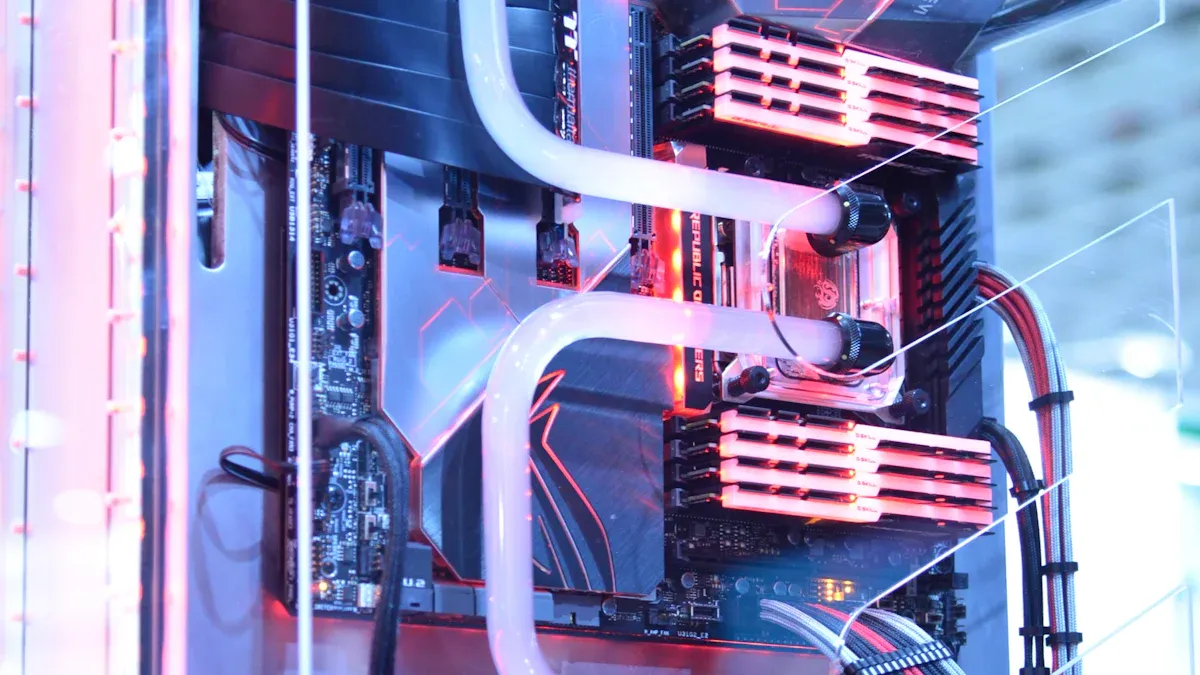
You face new problems as more AI server cabinets are used. Powerful AI hardware makes a lot of heat. This heat needs better cooling solutions. Cold plates use liquid or waterless methods. They move heat away from important parts quickly. The industry is changing. More AI servers use liquid cooling. It goes from 15% in 2024 to 76% in 2026. The liquid-cooling market grows fast every year. The global AI server market grows over 34% each year. Good and scalable cooling systems are now very important. They help support this fast growth.
Key Takeaways
Cold plates help cool AI server cabinets. They remove heat from strong hardware. This keeps everything working well.
Liquid cooling systems can save a lot of energy. They use up to 80% less energy than air cooling. This makes them better for data centers.
Direct-to-chip cooling keeps temperatures steady. It lowers the chance of overheating. This helps your hardware last longer.
AI algorithms in cooling systems make them work better. They watch temperatures and change cooling right away.
Regular checks and leak finding are very important. They keep cold plate systems working well. This stops expensive breaks and damage.
AI server cabinet cold plate overview
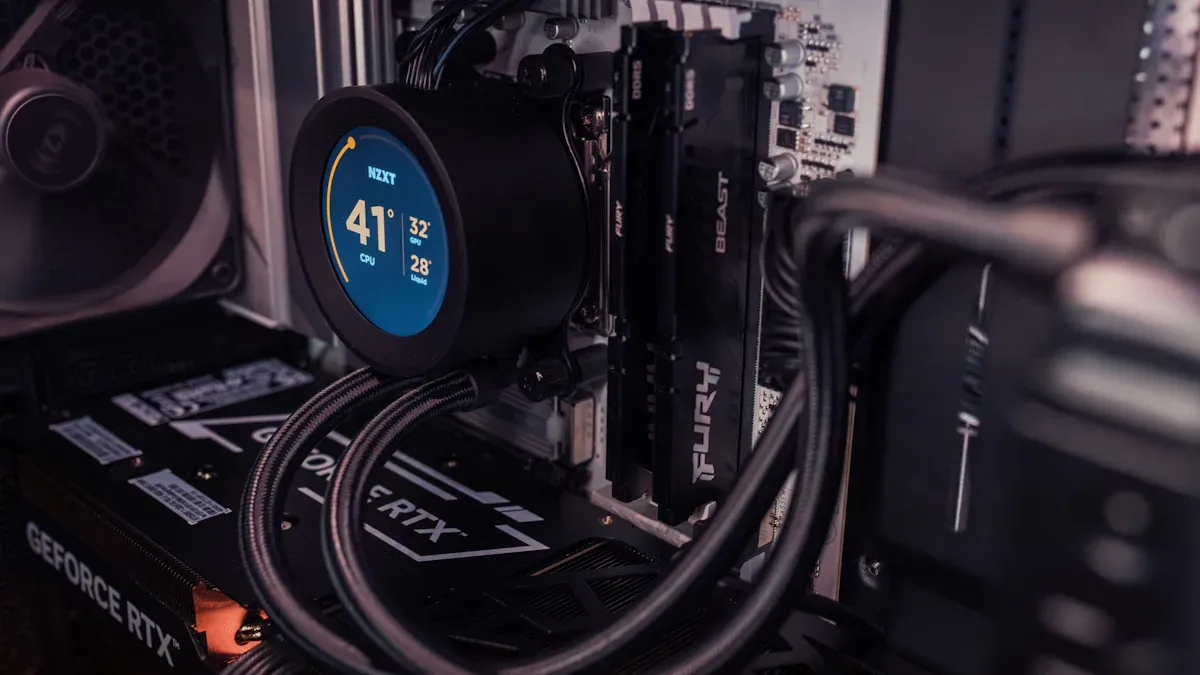
What is a cold plate?
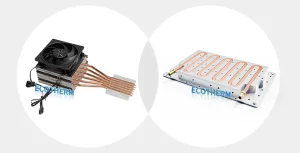
To see why a cold plate matters, you should know how it works in an AI server cabinet. A cold plate is a fluid heat exchanger. It sits right on top of CPUs or GPUs. Inside the plate, there are channels. Coolant moves through these channels and takes heat away from the parts. This keeps your hardware cool and safe. Most cold plates are made from copper or aluminum. Copper moves heat well but is heavy and costs more. Aluminum is lighter and cheaper. Some cold plates use composite materials to stop rust. Newer cold plates have mini-channels. These give more area for heat to move and help cool better.
Material | Thermal Conductivity (W/m·K) | Notes |
|---|---|---|
Copper | 400 | Higher thermal conductivity, heavier and more expensive than aluminum. |
Aluminum | 237 | Lower thermal conductivity, lighter and more cost-effective. |
Composite | N/A | Used for corrosion resistance without sacrificing thermal performance. |
Why AI server cabinets need advanced cooling
AI hardware is getting stronger, so you face new problems. Modern GPUs can use up to 2,000 watts each. This makes a lot of heat in a small area. One AI server cabinet can reach 100 kilowatts per rack. Old cooling methods cannot handle this much heat. You need better cooling to keep your systems safe and working well. Cold plates help by moving heat away fast. They keep your data center cool and steady.
Cold plate vs. traditional cooling
Cold plate cooling and air cooling are very different. Air cooling uses fans and airflow systems. These take up lots of space and use more energy. Cold plates use liquid cooling, which is smaller and saves energy. You can save up to 80% on energy with liquid cooling. Cold plates also work better as your AI server cabinet grows. They support stronger GPUs and new upgrades.
Feature | Air Cooled | Liquid Cooled (Cold Plate) |
|---|---|---|
Energy Efficiency | Low (high fan power) | High (up to 80% energy savings) |
Space Requirements | High (bulky fans, ducts) | Low (compact, less infrastructure) |
Longevity/Scalability | Limited for new tech | High, supports advanced AI hardware |
Tip: If you want your AI server cabinet to last longer and cost less, think about using cold plate cooling.
Cold plate cooling technologies
Liquid vs. waterless systems
You can pick liquid or waterless cold plate systems for your AI server cabinet. Each one has its own good points and problems. Liquid cooling uses fluids like water, glycol mixes, or dielectric fluids to take heat away from hot parts. Waterless systems, like two-phase or immersion cooling, use special fluids that change form to soak up heat well.
Here is a table that compares common cold plate cooling technologies:
Technology Type | Description |
|---|---|
Direct Liquid Cooling | Cold plates touch the GPU die and cool better than air cooling by 82%. |
iCDM-X Cooling Distribution | Gives up to 1.6MW of cooling for AI GPUs and checks and records data in real time. |
Cold Plates | Main outside part that takes heat away from AI chips. |
ICEcrystal Series | Gives 1.5 kW of jet impingement liquid cooling right on AI chip hot spots. |
Liquid cooling is known for being efficient and is used a lot in data centers. It cools well and is quiet because it needs fewer fans. These systems can work for small or big data centers. But, you need to think about higher starting costs, safety with liquids, and using the right materials.
Cooling Type | Advantages | Disadvantages |
|---|---|---|
Liquid Cooling | Works well, trusted, not too costly for small setups | Costs more for big setups, leaks can happen, needs more care |
Immersion Cooling | Cheap to run, fewer moving parts, good for packed servers | Costs a lot at first, harder to fix, fluid must be changed |
You also have to pick the right coolant. Water cools best but needs things to stop rust and can freeze fast. Glycol mixes do not freeze as easily, so they are good for cold places. Dielectric fluids do not conduct electricity and are safe for immersion cooling, but they cost more and do not move heat as well as water.
Coolant Type | Primary Components | Thermal Capacity | Application Notes |
|---|---|---|---|
Water | De-ionized or Distilled Water | Highest | Best at cooling; needs rust stoppers; freezes fast. |
Glycol Mixtures | Ethylene/Propylene Glycol + Water | Good | Freezes less; not as good as pure water. |
Dielectric Fluids | Synthetic fluids (mineral oil, etc.) | Variable | Does not conduct electricity; safe for immersion; costs more; not as good at moving heat. |
Note: Liquid cooling systems can save power and make less noise, but you need to plan for safety and repairs.
Direct-to-chip cooling
Direct-to-chip cold plate cooling puts the cold plate right on the heat source, like the CPU or GPU. This way uses a closed loop, sometimes with phase change, to handle heat. You get steady conditions for all your servers. You do not need to keep changing or adding air-cooling systems.
Direct-to-chip cooling has many good points:
Keeps temperatures steady and does not let them change a lot
Stops hot spots from forming in your server room
Uses less energy and cools better
Lowers the chance of overheating, so your hardware lasts longer
Costs less over time because it works well and is reliable
There are some problems with direct-to-chip cooling. High-density hardware needs special fixes. Power and cooling needs go up fast when you add more AI servers. You may need to change old buildings, pick the right coolant, and solve standardization problems. The system gets harder to design, and you must connect IT systems with building systems.
Tip: Direct-to-chip cooling works best if you plan ahead and pick hardware and fluids that work together.
Intelligent cooling with AI algorithms
AI algorithms can help make cold plate cooling better in real time. These systems watch the environment and change cooling to save energy but keep performance high. Big data centers, like Google’s, use AI and smart models to improve airflow and cooling.
AI-powered cooling systems have many benefits:
Sensors check temperature and change cooling right away
Machine learning finds and stops hot spots, saving energy
Thermal models help keep the best temperatures
Direct Liquid Cooling (DLC) keeps energy spikes low and moves heat away well
A real example shows how smart cooling helps. The AI supercomputer Dawn got a Power Usage Effectiveness (PUE) of 1.14. This means it used much less energy but still worked very well.
Pro Tip: Using AI for cooling saves energy and helps your AI server cabinet last longer.
Performance and reliability in AI server cabinet cooling
Efficiency and thermal management
It is important to keep your AI server cabinet working well. Cold plate cooling systems help control temperature and save energy. These systems handle lots of heat and keep temperatures steady. You can check how well a cold plate system works by looking at key numbers.
Metric | Value |
|---|---|
Thermal Resistance | 0.060°C-cm²/W |
Heat Handling Capacity | 7.5 kW |
Heat Flux | Exceeding 300 W/cm² |
Time-to-Setpoint | Measure of stability |
CDU Capacity at High Temp | Evaluated at 30°C or 40°C |
Cold plate cooling can save 30% to 50% more energy than air cooling. You also use less fan power, which saves another 15-30% of server energy. These systems let you fit more servers into a small space. You can run your equipment at higher temperatures and reuse the heat for other things. Liquid cold plates make your data center work better and help you control heat.
Note: For best results, keep the room below 40°C and make sure the server air inlet speed is above 5 meters per second.
Reliability and leak prevention
You want your AI server cabinet to work without problems. Cold plate cooling systems must be reliable because even a small leak can cause big trouble. Studies show that 20-30% of data center outages come from cooling system failures. Leaks can cause short circuits or flood your equipment.
The most common causes of leaks include:
Cause Type | Specific Causes |
|---|---|
Manufacturing defects | Welding defects, seal failure, material fatigue, chemical corrosion |
Design defects | Weak structure, lack of redundant seals |
External damage | Physical impacts during transport or installation |
Extreme conditions | Rapid thermal expansion and contraction |
You can stop leaks by using strong materials and checking for rust. Follow careful steps when installing. Early leak detection is important. You should watch both coolant loops to find problems fast and avoid rust. Using propylene glycol as a coolant can make your system safer and less toxic.
Tip: Regular checks and smart sensors help you find leaks early and keep your cooling system safe.
Safety and operational standards
You must follow strict safety rules when you install and take care of cold plate cooling systems. These rules protect your hardware and keep your data center working well. Cold plates must meet structural requirements set by processor suppliers. You need to follow product design rules, Keep-Out Zones (KOZ), and Interface Control Documents (ICD) for mounting hardware.
Safety Protocols | Description |
|---|---|
Structural Requirements | Cold plates must meet processor supplier specs for heat dissipation. |
Compliance | Follow KOZ and ICD for mounting hardware. |
Mechanical Load | Mounting hardware must meet load requirements for the cold plate’s lifespan. |
Installation Procedures | Follow processor design and manufacturing guidelines for installation and removal. |
Surface Flatness | Define flatness specs for the base bottom surface to ensure good thermal performance. |
Surface Roughness | Specify average roughness (Ra) for the base to optimize contact and heat transfer. |
Contact Area Dimensions | Set the right size for the contact area to improve thermal performance. |
You should also test your cold plate systems for leaks and rust. The most common standards include:
Standard/Method | Description |
|---|---|
IEC FDIS 62368-1 | Hydrostatic pressure test for leaks and deformation |
ASTM B117 | Salt spray test for corrosion resistance |
EN 1779 | Leak detection using pressure decay and bubble tests |
Pro Tip: Always follow safety rules and test your system before you use it. This keeps your AI server cabinet safe and reliable, even when it works hard.
System evaluation and scalability
Thermal and hydraulic testing
You should test your cold plate system before using it in your AI server cabinet. Thermal testing checks if the cold plate can move heat away from your hardware. You measure temperatures at different spots to see if things stay cool. Hydraulic testing checks how the coolant moves through the system. You want the coolant to flow fast enough but not cause leaks or big drops in pressure. If you do not do these tests, your equipment could get too hot or break.
Tip: Always check both thermal and hydraulic performance before installing your system.
Pressure and temperature control
You need to control pressure and temperature to keep your cooling system safe. High pressure can make leaks or break seals. Low pressure can stop coolant from reaching every part. Use sensors to watch pressure and temperature all the time. Set alarms for when things go outside safe limits. This helps you fix problems before they cause damage. Good control also helps your system last longer and use less energy.
Control Method | Benefit |
|---|---|
Real-time Sensors | Fast problem detection |
Automatic Valves | Keeps pressure steady |
Temperature Alarms | Stops overheating |
Scaling for future AI growth
You want your cooling system to grow as you add more AI servers. As you add more servers, you need a plan for bigger cooling needs. Start with a strong manifold design. How you place and build the manifold affects how well your system works. Modern manifolds filled with fluid can get heavy, especially when you add cables from GPU clusters. You must check static loads to avoid damage.
Strategy | Description |
|---|---|
Manifold Design | The design and placement of the manifold can greatly affect how well the installation works. |
Static Loads | Modern manifolds filled with fluid can be very heavy, and extra cables from GPU clusters make them even heavier. |
Plan for extra space and power in your data center. Pick cold plate systems that let you add more cooling without starting over. This way, you can support new AI hardware and keep your data center running well.
Note: Smart planning now helps you handle more AI later with less trouble.
Cold plate cooling helps AI server cabinets work well. It saves energy and is reliable. You can spend less money on power. You can fit more servers in each rack. This helps you reach your sustainability goals. When you pick a cooling system, look at these important things:
Key Factor | Description |
|---|---|
Types of CDUs | Make sure cooling units fit your needs and space. |
Configuration of CDUs | Choose setups that make things easy and work better. |
Operational Considerations | Think about your building, budget, and plans to grow. |
Big companies like Google and Microsoft use smart cooling. Liquid cooling is very important for new data centers.
FAQ
You get better heat removal. Cold plates keep your hardware cool and stable. This helps your AI servers run faster and last longer.
You should use strong materials and check for rust. Install leak sensors. Test your system before you use it. Regular checks help you find problems early.
Yes, you can. Choose modular cold plate systems. These let you add more cooling units as you add more servers. Plan for extra space and power.
Liquid cooling is safe if you follow safety rules. Use the right coolant and materials. Test for leaks and rust. Train your team on proper installation and maintenance.