What Is a Heat Sink in a Computer? Purpose, Function & Cooling Data
A heat sink in a computer moves heat away from the CPU, GPU, memory, or power chips. It does not create cold air. It spreads heat into metal fins so airflow can remove it from the system.
What Does a Heat Sink Do in a Computer?
A heat sink reduces the temperature of heat-generating components. It collects heat from the chip, spreads it through a metal base and fins, then releases it into air.
In a computer, this prevents overheating, performance throttling, unstable operation, and automatic shutdown. The original thermal path is simple:
CPU / GPU → thermal paste or pad → heat sink base → fins → airflow → computer case exhaust| Function | What happens | Why it matters |
|---|---|---|
| Heat collection | Heat moves from chip to heat sink base | Reduces local chip temperature |
| Heat spreading | Heat moves through the base and fins | Uses more cooling area |
| Heat dissipation | Air removes heat from the fins | Keeps the system stable |
| Mechanical contact | Heat sink is clamped to the chip | Maintains low contact resistance |
What Is the Purpose of a Heat Sink?
The purpose of a heat sink is to keep computer components within a safe operating temperature range. In most computers, the main targets are the CPU, GPU, VRM, chipset, SSD controller, and memory modules.
A heat sink is not only a metal block. Its performance depends on the full cooling path: contact quality, material, fin area, airflow, and case ventilation.
| Component | Why it needs cooling | Common thermal solution |
|---|---|---|
| CPU | High power density during processing | Heat sink + fan, heat pipe cooler, or liquid cooling |
| GPU | High graphics or AI workload | Large fin stack, heat pipes, vapor chamber, fans |
| VRM / power chips | Power conversion losses | Small heat sinks with airflow |
| SSD controller | Local hot spot during high-speed transfer | Thin heat spreader or passive heat sink |
| Memory module | Moderate heat in high-speed modules | Passive heat spreader |
How Does a Heat Sink Work?
A heat sink works through conduction and convection. Radiation may also contribute, especially in passive designs, but most computer cooling depends mainly on conduction through metal and airflow across fins.
First, heat moves from the chip into the heat sink base. Then it spreads through the metal fins. Finally, air removes heat from the fin surface. Your current article already explains these mechanisms: conduction moves heat through direct contact, convection removes heat through air movement, and radiation releases infrared energy from the surface.
| Heat transfer step | Mechanism | Computer example |
|---|---|---|
| Chip to base | Conduction | CPU heat moves into copper or aluminum base |
| Base to fins | Conduction | Heat spreads through metal |
| Fins to air | Convection | Air removes heat from fin surfaces |
| Surface radiation | Radiation | More relevant in fanless or black-anodized designs |
Analyze the Structure and Function of a Heat Sink
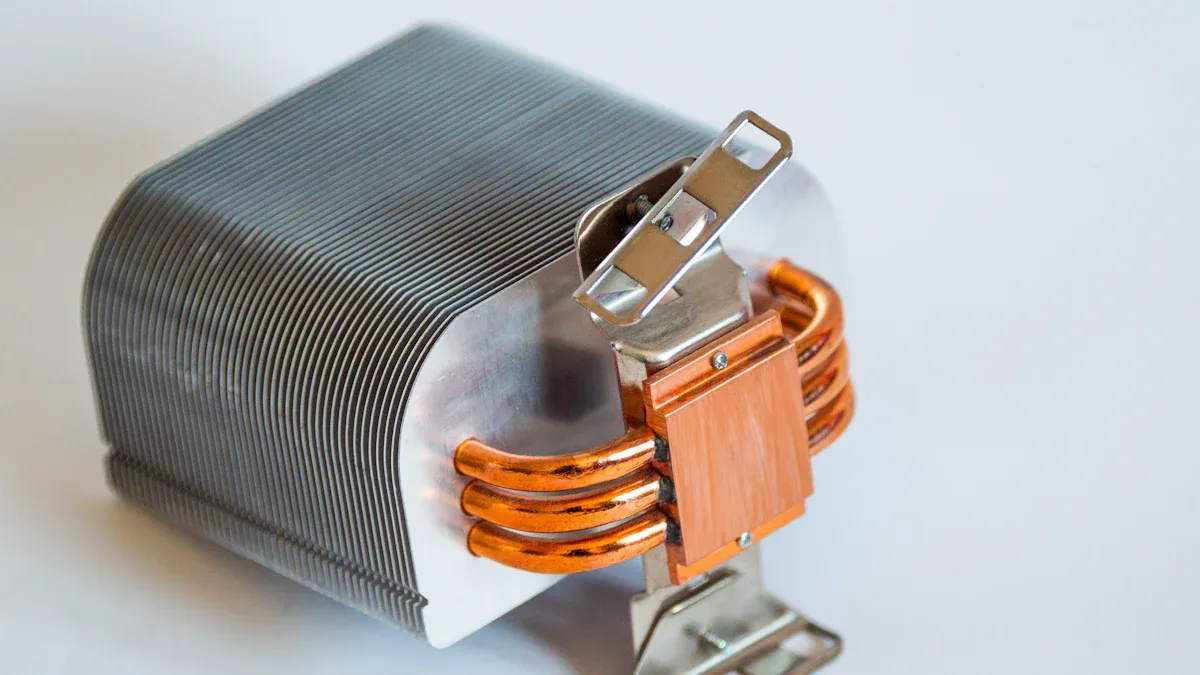
A computer heat sink usually has two main parts: a base and fins.
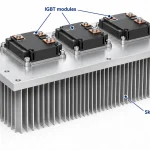
The base contacts the chip or heat spreader. Its job is to absorb concentrated heat and spread it into the rest of the heat sink. The fins increase surface area so air can carry heat away more efficiently.
| Structure | Function | Design data that matters |
|---|---|---|
| Base | Collects and spreads heat | Flatness, thickness, material conductivity |
| Fins | Increase air-contact area | Height, thickness, spacing, airflow resistance |
| Mounting system | Holds contact pressure | Screws, spring clips, torque consistency |
| Thermal interface material | Fills microscopic air gaps | Thickness, conductivity, coverage |
| Fan or airflow path | Removes hot air | RPM, air volume, pressure, dust blockage |
Engineering rule: more fins do not always mean better cooling. If the fin gap is too narrow, airflow resistance increases and the effective cooling area may decrease.
What Improves the Transfer of Heat from the CPU to the CPU Heatsink?
The main factor is low thermal interface resistance. The CPU surface and heat sink base are not perfectly flat at a microscopic level. Small air gaps remain between them, and air has very poor thermal conductivity.
Thermal paste or a thermal pad fills these gaps. A thin and even layer helps heat move from the CPU into the heatsink base.
| Factor | Better condition | Why it improves heat transfer |
|---|---|---|
| Thermal paste | Thin, even layer | Fills air gaps without adding too much thickness |
| Mounting pressure | Even pressure | Increases real contact area |
| Base flatness | Flat contact surface | Reduces local gaps |
| Surface cleanliness | No old paste, oil, or dust | Reduces interface resistance |
| Base material | Copper or high-conductivity aluminum | Spreads heat faster |
| Contact area | Matches CPU heat spreader | Reduces local hot spots |
Practical rule: too little paste leaves air gaps. Too much paste creates a thick layer and can also increase resistance.
How Do the Heat Sink and Fan Work Together to Cool the Computer?
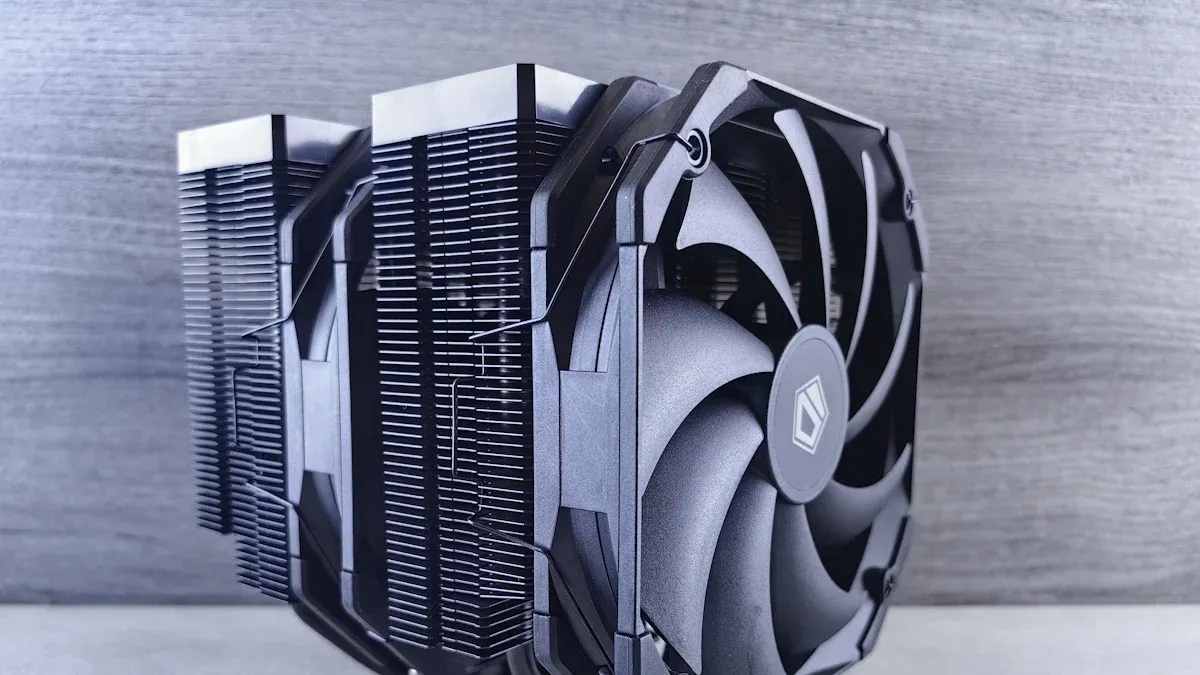
The heat sink spreads heat into fins. The fan forces air through or across those fins. Together, they increase heat removal compared with natural airflow alone.
A fan does not cool the CPU directly. It improves convection by increasing air speed over the fin surface. This is why the same heat sink can perform very differently with weak airflow, strong airflow, or a blocked fan.
| Cooling setup | Air movement | Noise | Cooling capacity | Common use |
|---|---|---|---|---|
| Passive heat sink | Natural convection | Silent | Low to medium | Memory, chipset, SSD, low-power devices |
| Heat sink + fan | Forced convection | Medium | Medium to high | CPU, GPU, workstation |
| Heat pipe + fin stack | Forced convection | Medium | High | Laptop, compact PC |
| Liquid cooler | Pump + radiator airflow | Medium | High to very high | High-power CPU, GPU, server |
Passive vs Active Heat Sink: What Is the Difference?
A passive heat sink has no fan. It relies on natural convection and surface area. An active heat sink uses a fan or blower to force air through the fins.
Passive heat sinks are quieter and simpler, but they need more space for the same heat load. Active heat sinks can remove more heat in a smaller volume, but they add noise, dust sensitivity, and fan failure risk.
| Question | Passive heat sink | Active heat sink |
|---|---|---|
| Has a fan? | No | Yes |
| Power needed? | No | Yes |
| Noise | Silent | Depends on fan speed |
| Cooling capacity | Lower | Higher |
| Maintenance | Low | Fan and dust maintenance |
| Common computer use | RAM, SSD, chipset | CPU, GPU, workstation |
| Main limitation | Surface area and airflow | Noise, dust, fan reliability |
What is the main obstacle to using passive heat sinks?
The main obstacle is heat load versus available space. A passive heat sink can work well for low-power parts, but high-power CPUs and GPUs usually need forced airflow because natural convection is limited.
What Materials Are Used in Computer Heat Sinks?
Most computer heat sinks use aluminum, copper, or a hybrid design. Your current page already notes that aluminum is lightweight and cost-effective, while copper has higher thermal conductivity but is heavier and more expensive.
| Material | Typical thermal conductivity | Weight | Cost | Best use |
|---|---|---|---|---|
| Aluminum alloy | ~150–210 W/m·K depending on alloy | Low | Low | Standard heat sinks and fins |
| Copper | ~385–400 W/m·K | High | Higher | Bases, heat spreaders, high-performance contact zones |
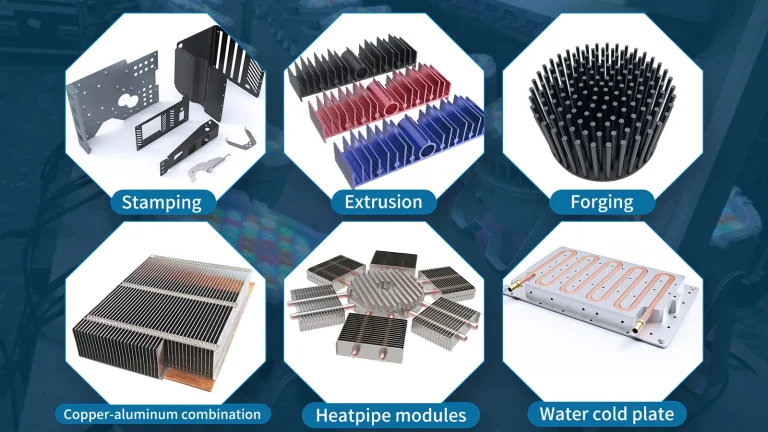
| Copper base + aluminum fins | Mixed | Medium | Medium | CPU/GPU coolers needing balance |
| Heat pipe | Effective directional transfer | Medium | Higher | Moving heat to a remote fin stack |
| Vapor chamber | High effective spreading by design | Medium | Higher | Thin systems and local hot spots |
Practical rule: copper is better for heat spreading at the base. Aluminum is often better for fins because it is lighter, cheaper, and easier to form into large surface-area structures.
What Thermal Solutions Are Used on Memory Modules?
The thermal solution commonly found on memory modules is a passive heat sink or heat spreader. Standard memory modules do not usually need liquid cooling or a large fan.
High-speed DDR memory, gaming RAM, and server memory often use thin aluminum heat spreaders. These increase surface area and use internal case airflow to remove heat.
| Memory cooling option | Used on memory modules? | Notes |
|---|---|---|
| Passive heat sink / heat spreader | Yes | Common on gaming and server memory |
| Active fan cooling | Sometimes | Used in niche overclocking or dense systems |
| Liquid cooling | Rare | Not standard for most memory modules |
| Surface area dissipation | Principle, not a component | Heat spreaders work by increasing surface area |
Short answer: for memory modules, the correct thermal solution is usually a passive heat sink.
When Is a Standard Computer Heat Sink Not Enough?
A standard computer heat sink may not be enough when the heat source is too dense, airflow is limited, the system is very thin, or heat must be moved to another location.
This is common in gaming laptops, AI servers, GPUs, embedded computers, power modules, and compact industrial systems.
| Problem | Standard heat sink limitation | Better solution |
|---|---|---|
| Heat source far from fin stack | Cannot transport heat efficiently | Heat pipe cooling module |
| Small dense hot spot | High center temperature | Vapor chamber heat sink |
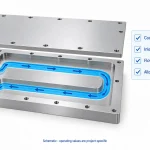
| Very high power | Air cooling may not be enough | Liquid cold plate |
| Thin enclosure | Limited fin height | Heat pipe or vapor chamber module |
| High airflow resistance | Air cannot pass through fins well | Optimized fin spacing or zipper fins |
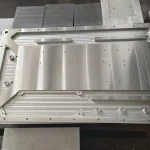
| Custom mechanical space | Standard cooler does not fit | Custom CNC / extrusion / skived heat sink |
Data to prepare for a custom computer heat sink
| Required data | Example |
|---|---|
| Component type | CPU, GPU, ASIC, memory, power module |
| Heat load / TDP | 15 W, 65 W, 150 W, 500 W |
| Heat source size | 20 × 20 mm, 40 × 40 mm |
| Space limit | Length, width, height |
| Airflow condition | Natural convection, fan, ducted airflow |
| Maximum temperature | Case or junction temperature |
| Mounting method | Screws, clips, spring pressure |
| Material preference | Aluminum, copper, hybrid |
| Quantity | Prototype, pilot run, mass production |
FAQ
What is a heat sink in a computer?
A heat sink is a metal cooling part that moves heat away from chips such as the CPU, GPU, memory, or power components. It spreads heat into fins so air can remove it.
What does a heatsink do?
A heatsink lowers component temperature. It absorbs heat from the chip, spreads it through the metal base and fins, then releases it into air.
How does a CPU heatsink work?
A CPU heatsink works through conduction and convection. Heat moves from the CPU to the base, then to fins, and finally into moving air.
What improves heat transfer from the CPU to the heatsink?
Thermal paste, even mounting pressure, clean surfaces, flat contact, and a suitable base material improve heat transfer from the CPU to the heatsink.
Can a computer run without a heat sink?
No, not safely. A modern CPU or GPU can overheat quickly without a heat sink, causing throttling, shutdown, or hardware protection mode.
What is the best material for a computer heat sink?
Aluminum is best for cost and weight. Copper spreads heat faster but is heavier and more expensive. Many high-performance coolers combine both.